1. OPERATIONAL OVERVIEW
1-15
1.9 Status Bar
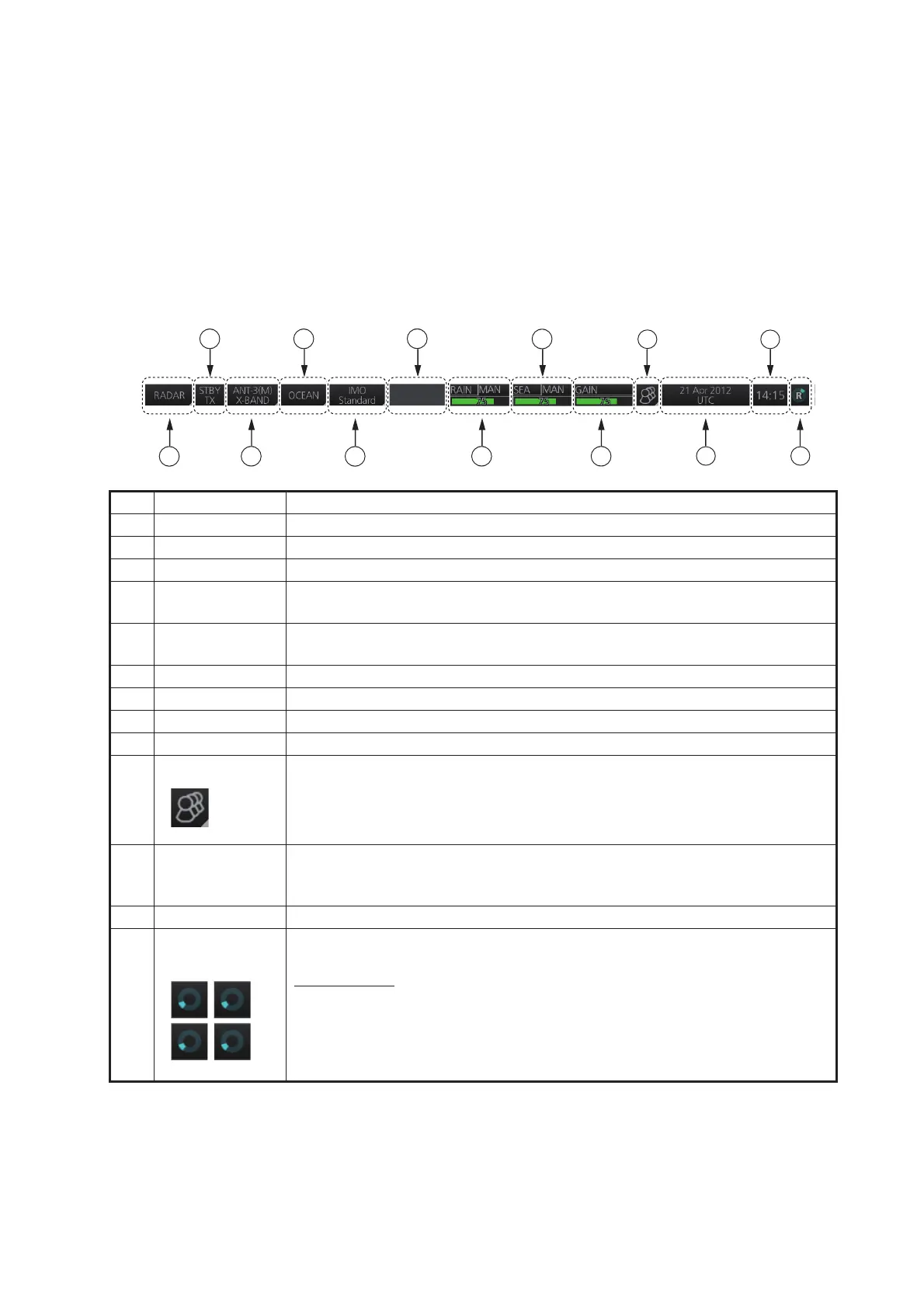
The Status bar is displayed at the top of screen in all modes. This bar provides, in the
radar and chart radar modes, buttons for selection of the mode, antenna and chart da-
tabase, and adjustment of the radar picture.
For a description of the Status bar used in the conning for radar, chart for radar mode,
see section 24.1 and section 6.1.2.
1.9.1 Status bar for radar, chart radar mode
No. Button name Description
1 Display mode Selects a mode: radar, chart for radar, or conning for radar.
2 STBY/TX Toggles the radar between stand-by and transmit.
3 Antenna Selects an antenna.
4 Customize echo Presets the radar controls for specific navigation purpose; for example,
congested waters.
5 Chart database Selects the IMO chart database (base, primary, standard or all). Available
in the chart radar mode.
6 Message area Shows operational messages and icons.
7 RAIN Reduces rain clutter.
8 SEA Reduces sea clutter.
9 GAIN Adjusts the gain of the radar receiver.
10 Settings Manages user profiles; opens the Settings menu.
11 Date • Displays the date and whether the time indication is local or UTC.
• Selects the time to use, local or UTC.
• Sets the time difference between local and UTC (to use local time).
12 Time Displays the time.
13 Working
indicator
Rotates clockwise if the system is working properly.
Picture freeze
If the picture freezes, the picture is not updated. After the picture freezes,
the buzzer sounds and the Status LED blinks in red. Reset the power to re-
store normal operation.


 To Next Page
 Loading...








