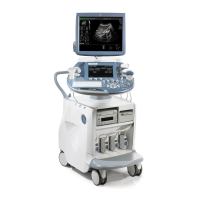
GE VOLUSON
i / VOLUSON
e
D
IRECTION KTI106052, REVISION 10 SERVICE MANUAL
8-36 Section 8-16 - Replacement of the LCD Display
Section 8-16
Replacement of the LCD Display
8-16-1 Manpower
One person, 50 minutes
8-16-2 Tools
Phillips screwdriver 1 and 2
8-16-3 Preparations
1.) Power Off/Shutdown the system as described in Section 3-6-3 on page 3-72.
2.) Remove the LCD Display Frame as described in Section 8-12-4 on page 8-30.
8-16-4 LCD Display - Removal Procedure
1.) Loosen and remove the 8 screws that fasten the LCD Display to the Rear Cover Assembly, as
shown Figure 8-47 below.
2.) Disconnect the Microphone (not available with SW 8.1.2 and higher) and the BBDI Inverter cable
from the Flex (see: Figure 8-48 below).
3.) Disconnect the LCD Display cable from the Backlight Inverter board (see: Figure 8-48, above).
Figure 8-47 remove 8 screws that fasten LCD Display
Figure 8-48 disconnect cables
Micro cable
disconnect
disconnect
BBDI Inverter cable
disconnect LCD cable from
Backlight Inverter board



 To Next Page
 Loading...