3 - 29
Power unit
Main unit
Assembly
3
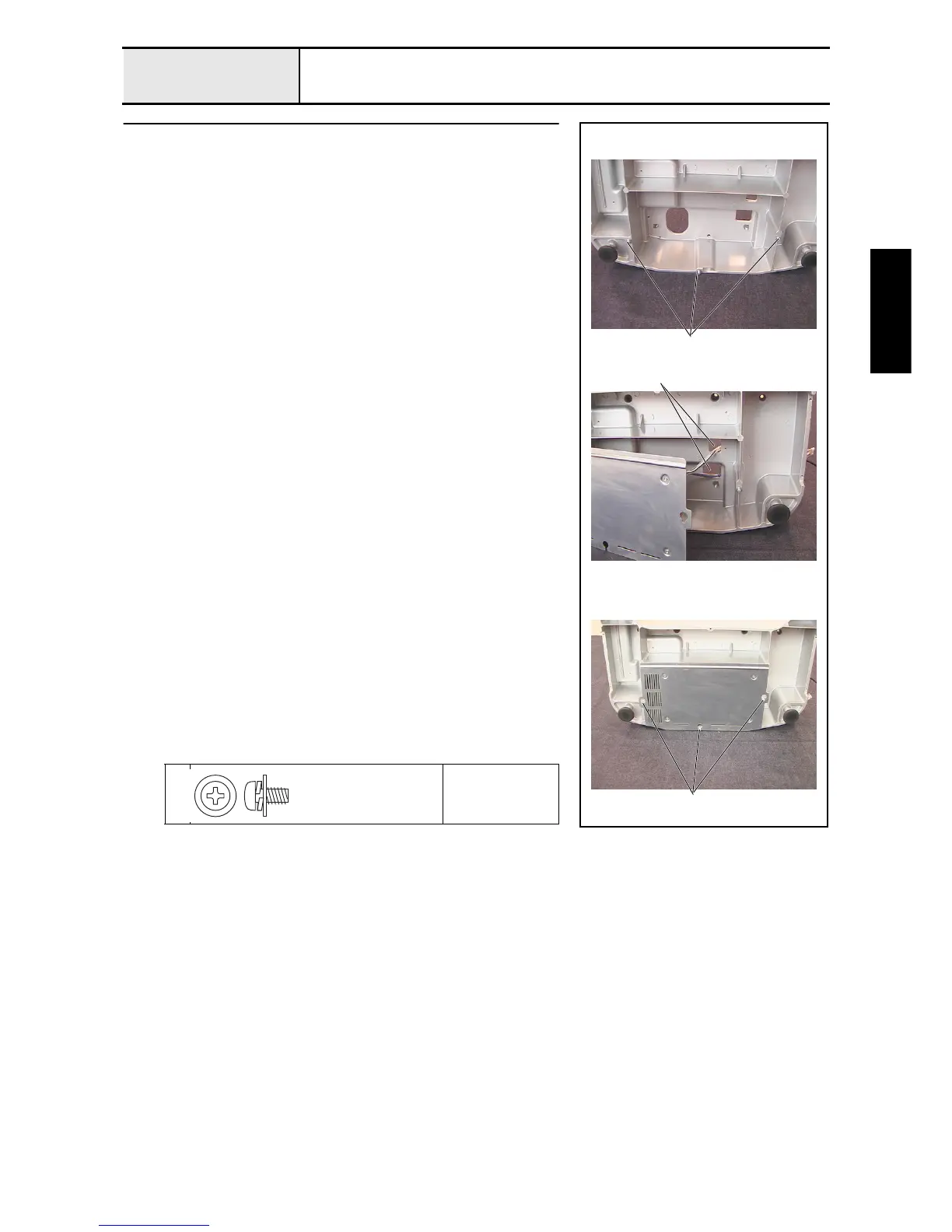
Power PCB assembly attachment
1. Temporarily tighten the 3 screws 1 in the attachment holes on the PCB
holder at the bottom of the base frame
2. Run the PCB holder final assembly's lead wire and the power supply's lead
wire through the 2 cord holes 1 on the base frame, and route them along
the upper section of the base frame so that the PCB holder final assembly is
aligned with the 3 screws 1, and attach it to the base frame.
3. Firmly tighten the 3 screws 1.
1
Torque
1.18 –
1.57 N-m
1
1
1
Screw, Pan (S/P washer)
M4X8DB
Color; Silver


 To Next Page
 Loading...











