3 - 88
Feed unit
Main unit
14
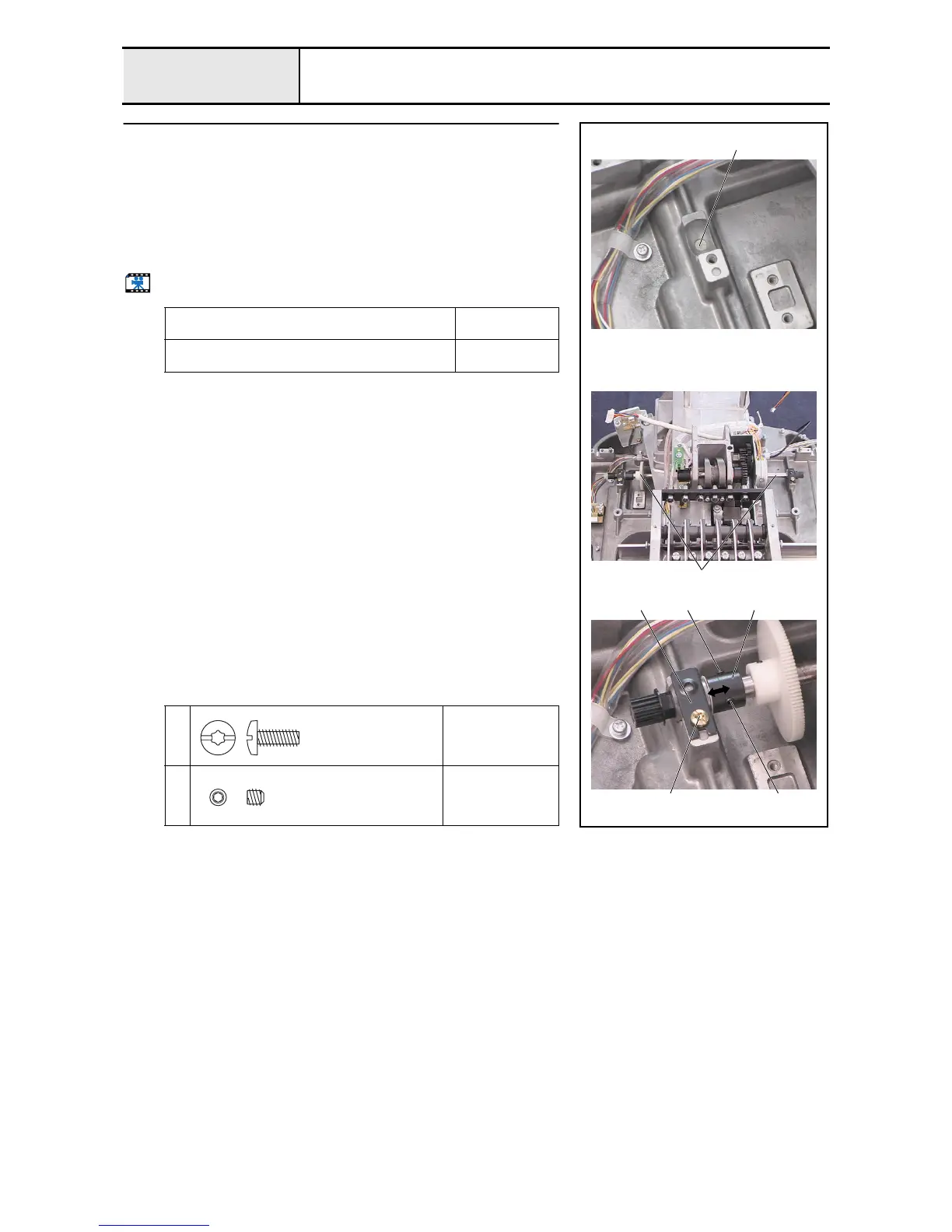
Y driving shaft assembly attachment
1. Apply turbine oil to the 2 felts 1.
2. Attach the felts to the metal collars on the base frame. (2 locations)
3. Attach the Y driving shaft assembly 2 to the base frame.
4. Secure the 2 metal pressers A 3 with the 2 screws 1.
5. Adjust the collar's 4 position (right/left) to eliminate any backlash in the
shaft direction, and then secure the collar with the 2 screws 2.
6. Apply sewing-machine oil to the Y driving shaft's 2 metals.
Start movie clip (CD-ROM version only)
Apply turbine oil to the felts.
Soak the felts in
turbine oil.
Apply sewing-machine oil to the Y driving shaft's
metals.
1 to 2 drops
1
Torque
1.47 – 1.96 N-m
2
Torque
0.78 –
1.18 N-m
1
1
2
423
2
Taptite, Bind S
M4X10
Color; Gold
Set Screw, Socket (CP


 To Next Page
 Loading...











