2 - 19
Feed unit
Main unit
Disassembly
7
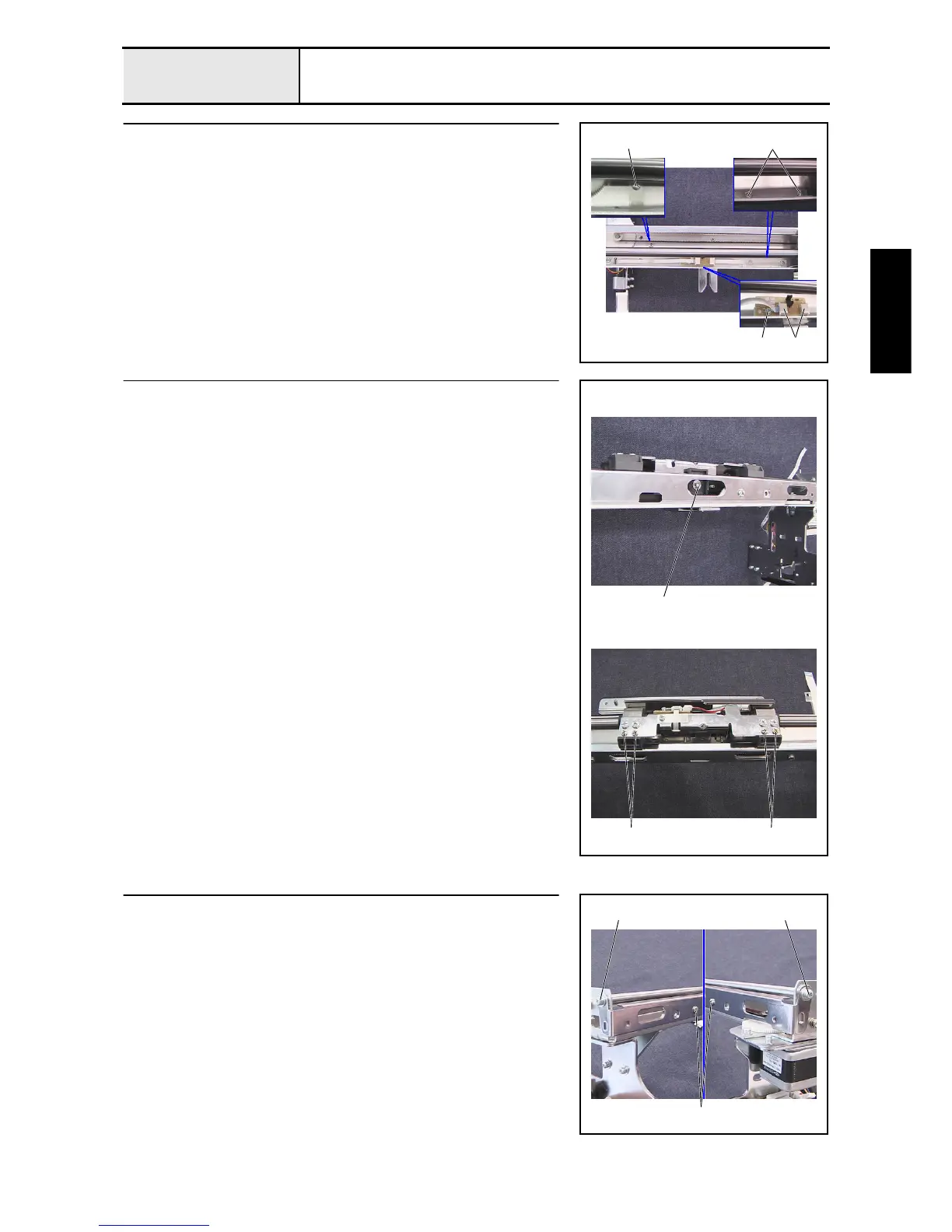
FFC and X-area sensor assembly removal
1. Remove the screw 1, and then remove the sheet.
2. Remove the 2 screws 2, and then remove the sheet.
3. Remove the screw 3, and then remove the X-area sensor assembly and the
X-frame spacer.
4. Unlock the X-area sensor assembly's 2 connectors 1, and then disconnect
the 2 FFCs, (SML2CD-C) and (SML2CD-X), from the X-area sensor
assembly.
3
1
21
8
Y-frame spacer and X-belt presser removal
1. Remove the screw 1, and then remove the X-belt presser.
2. Remove the 4 screws 2, and then remove the 2 Y-frame spacers.
1
2 2
9
X-feed frame B removal
1. Remove the 4 screws (12, 2 each), and then remove the X-feed frame B
from the feed frame assembly.
2
11



 To Next Page
 Loading...










