2 - 26
Needle thread unit
Main unit
1
Needle thread assembly removal
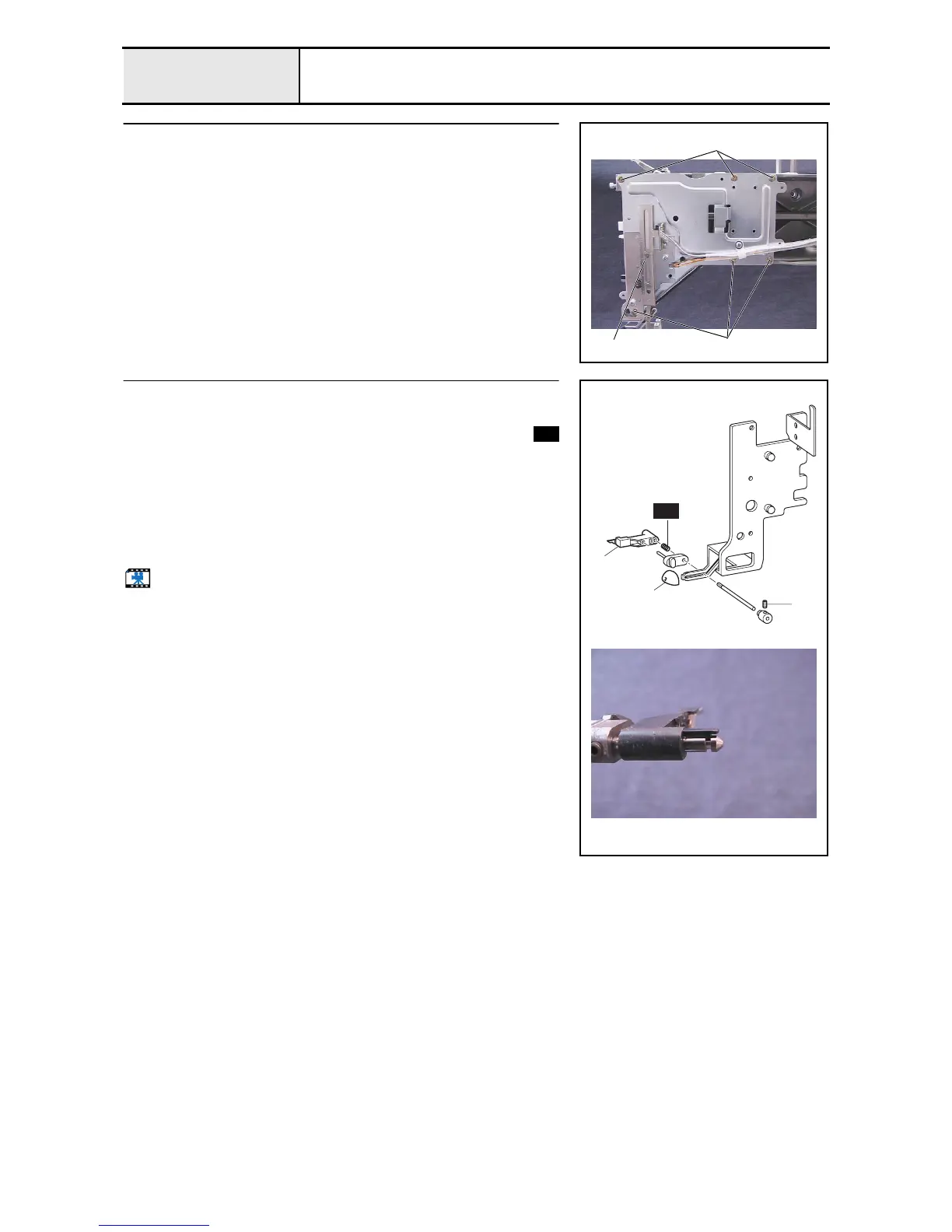
1. Remove the 6 screws 1, and then remove the needle thread assembly 1.
1
1
1
2
Hook holder assembly removal
1. Remove the cap 1.
2. Remove the hook holder assembly 2, and then remove the spring
and the hook holder axis B assembly.
*Key point
• The hook holder assembly's tab is engaged in the groove on
the hook holder axis B.
3. Remove the set collar assembly.
4. Remove the screw 1 from the hook holder axis B, and then remove the
bush.
Start movie clip (CD-ROM version only)
2
1
1
S56
S56



 To Next Page
 Loading...










