4 - 30
Adjustment Picker activation adjustment
1. Remove the bobbin case.
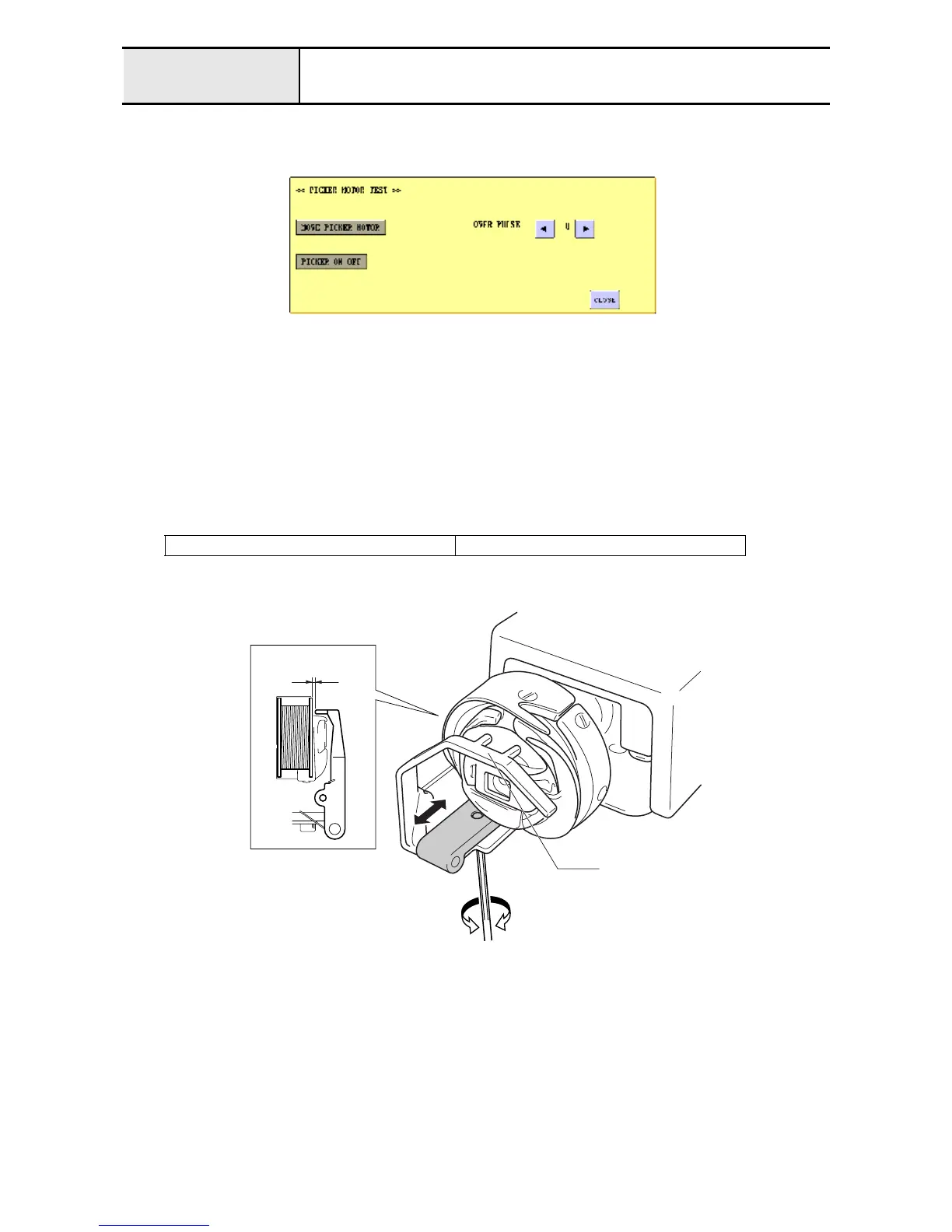
2. Enter test mode and press [MAIN BOARD TEST MODE] and then [PICKER MOTOR TEST].
3. Press [
←
] or [
→
] to set "2" for [OVER PULSE].
4. Press [MOVE ORIGIN MOTOR] to turn the picker off, and then attach the bobbin case with a bobbin inserted to
the rotary hook.
5. Press [MOVE ORIGIN MOTOR] to turn the picker on, and then check the clearance between the bobbin and the
picker tip.
6. When clearance cannot be adjusted yet, move the picker holder attachment screw
1
back and forth to tune the
clearance. (Refer to the conditions below:)
1
Set the value one rank higher (wider clearance) for [OVER PULSE]
2
Adjust the clearance so that the picker's supporting point is on the operator's side.
Clearance between bobbin and picker tip
0.95 - 1.05 mm
0.95 - 1.05mm
Picker


 To Next Page
 Loading...











