2 - 75
Operation panel
Main unit
Disassembly
3
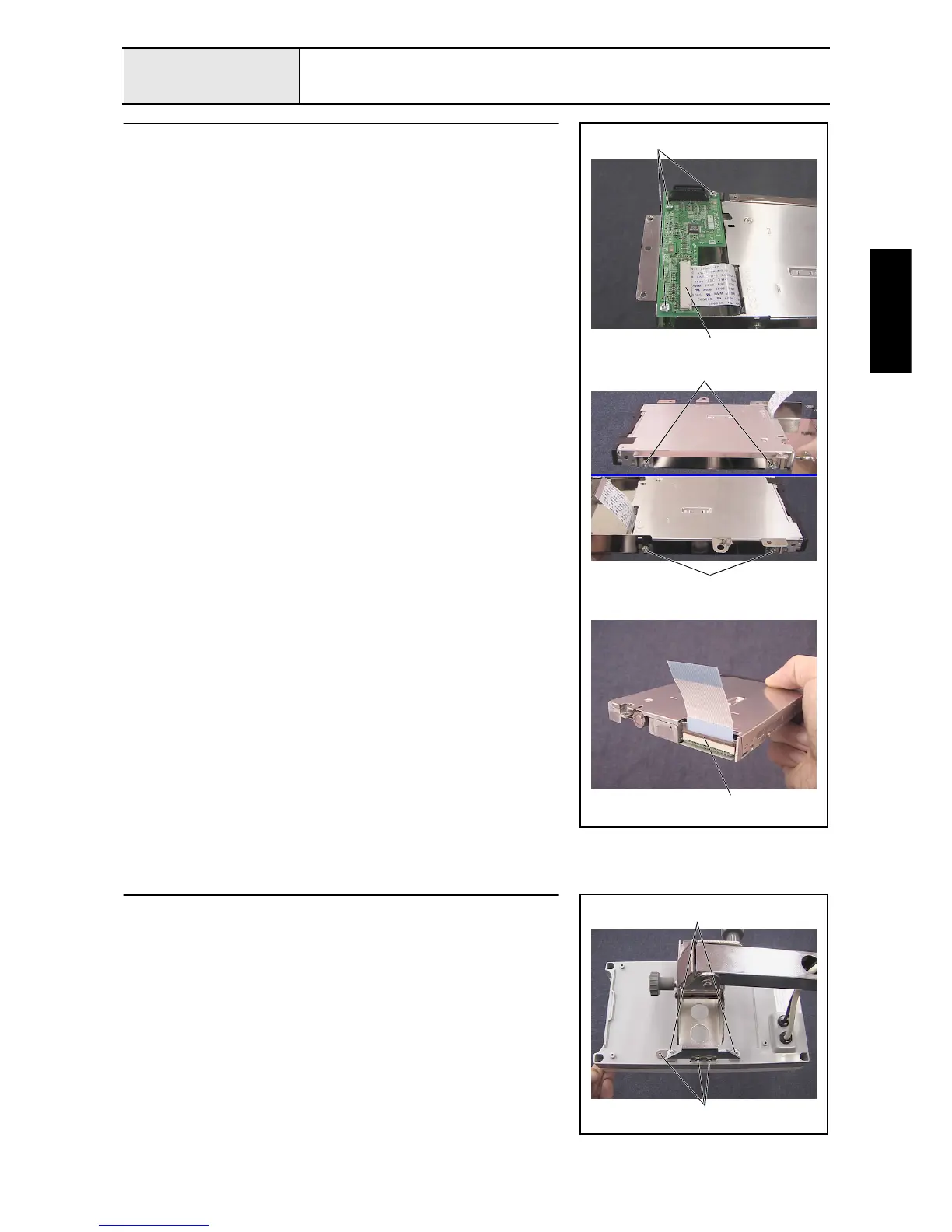
FD disassembly (Step 2)
1. Unlock the FD PCB assembly's connector 1, and then disconnect the FFC
(SML2CD-FDD) from the FD PCB assembly.
2. Remove the 3 screws 1, and then remove the FD PCB assembly.
3. Remove the 4 screws 2, and then remove the FD unit (FDDFD-05HG-
5661) from the FD case A.
4. Unlock the FD unit's (FDDFD-05HG-5661) connector 2, and then
disconnect the FFC (SML2CD-FDD).
1
1
2
2
2
4
Operation panel lever assembly removal
1. Remove the 4 screws (1 2, 2 each), and then remove the operation panel
lever assembly from the operation panel final assembly.
1
2



 To Next Page
 Loading...










