4 - 15
Inspection and
Adjustment
Inspection and
Adjustment
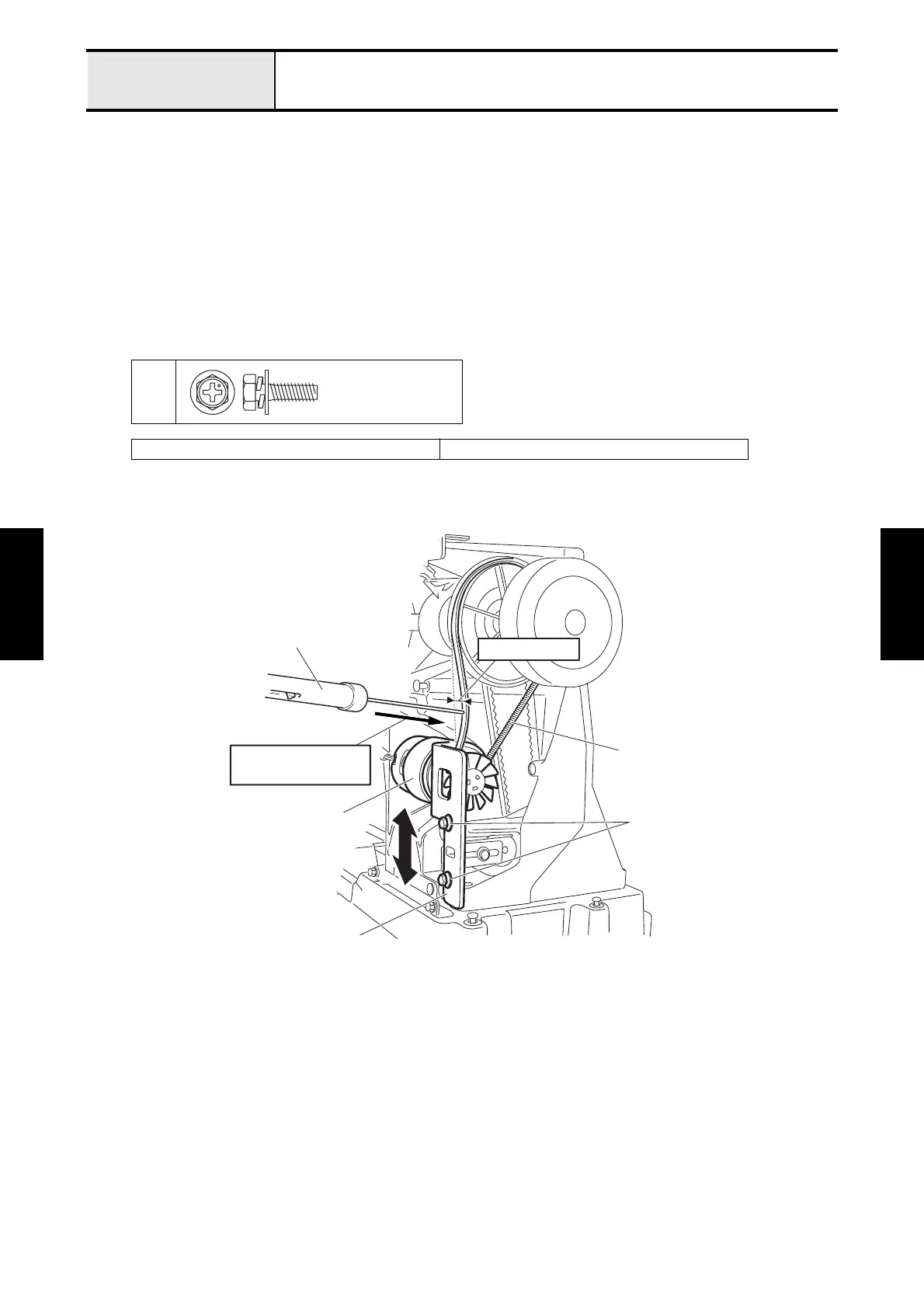
Adjustment Motor belt tension
[Standard]
The belt slack should be 1.5 to 3.5 mm when pushing the center of the motor belt with a force of 0.98N (100g).
[Adjustment]
1. Remove the 4 screws of the main PCB and the 2 PCB supporters to remove the main PCB.
2. Loosen the 2 screws 1 of the motor holder.
3. Adjust the tension on the motor belt by moving the position of the motor holder up or down.
4. Tighten the 2 screws 1 of the motor holder to secure the motor holder.
5. Attach the main PCB with the 4 screws and the 2 PCB supporters.
1
XC2277001 Push-pull gauge (5N)
Upset
4X14DB
Motor belt
Main motor
1
Motor holder
Push-pull gauge
1.5 - 3.5 mm
Motor belt tension
0.98N (100g)


 To Next Page
 Loading...













