Connection
H00007091 - Absolute Arm User Manual │Version 5.2.0 (2019-03-07) │99
E.4.2 ARM SETUP
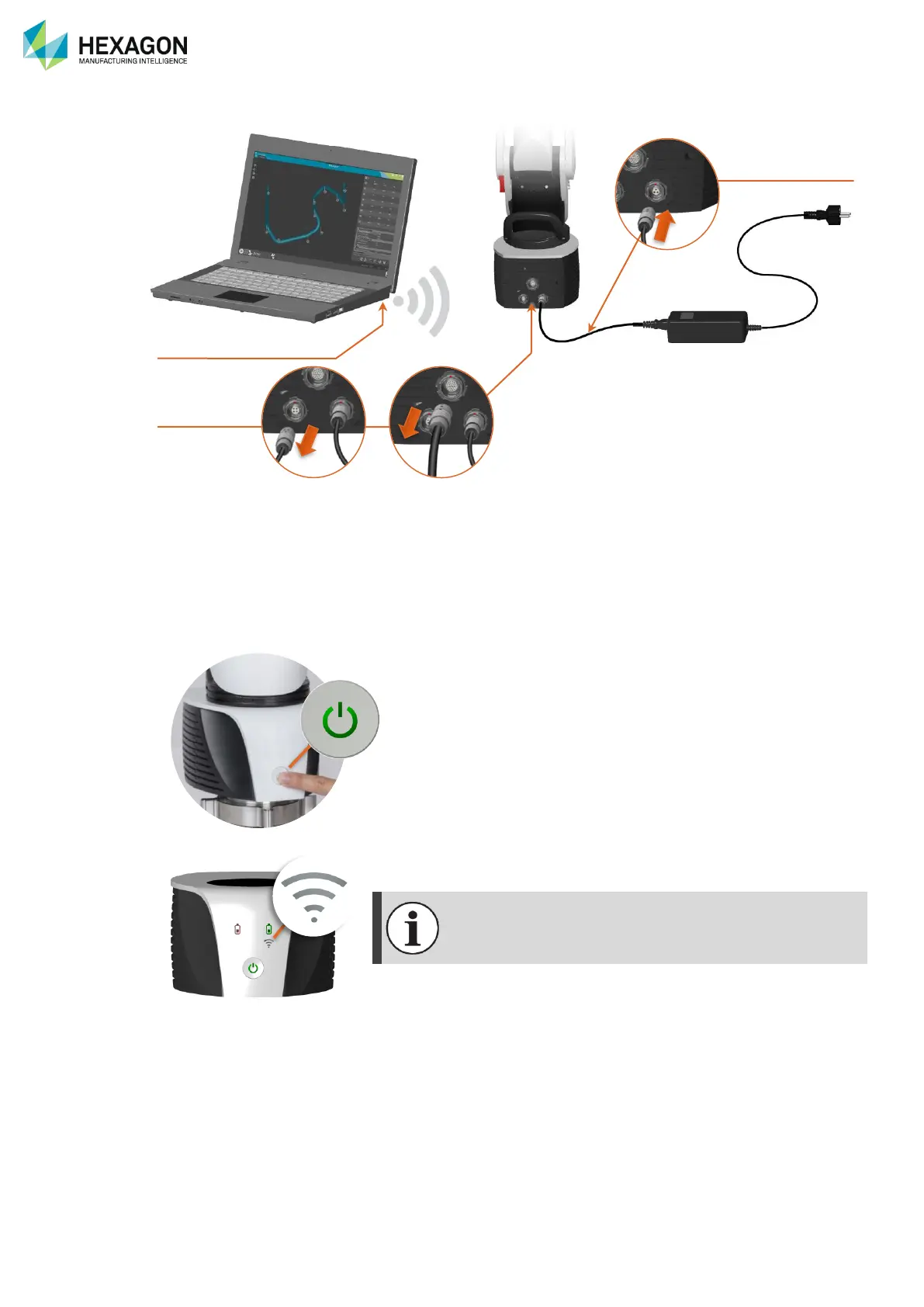
Fig. 35 : Wireless connection
1. Ensure that a Wireless Probing Pack (CP2) or a Wireless Scanning Pack (CP3 for integrated scanner)
is mounted.
2. Connect the power supply to the arm. (Or use on battery)
3. Activate the WLAN interface on the computer
4. Ensure that both USB and Ethernet cables are unplugged from the Control Pack. If not, disconnect
them.
5. Power on the arm by holding the power button for at least 1 second.
6. After some seconds, the WLAN pictogram appears, showing that the Arm is ready to connect.


 To Next Page
 Loading...
