Measure with the arm
H00007091 - Absolute Arm User Manual │Version 5.2.0 (2019-03-07) │122
F.1.6 HOW TO USE THE ARM REMOTE MOUSE
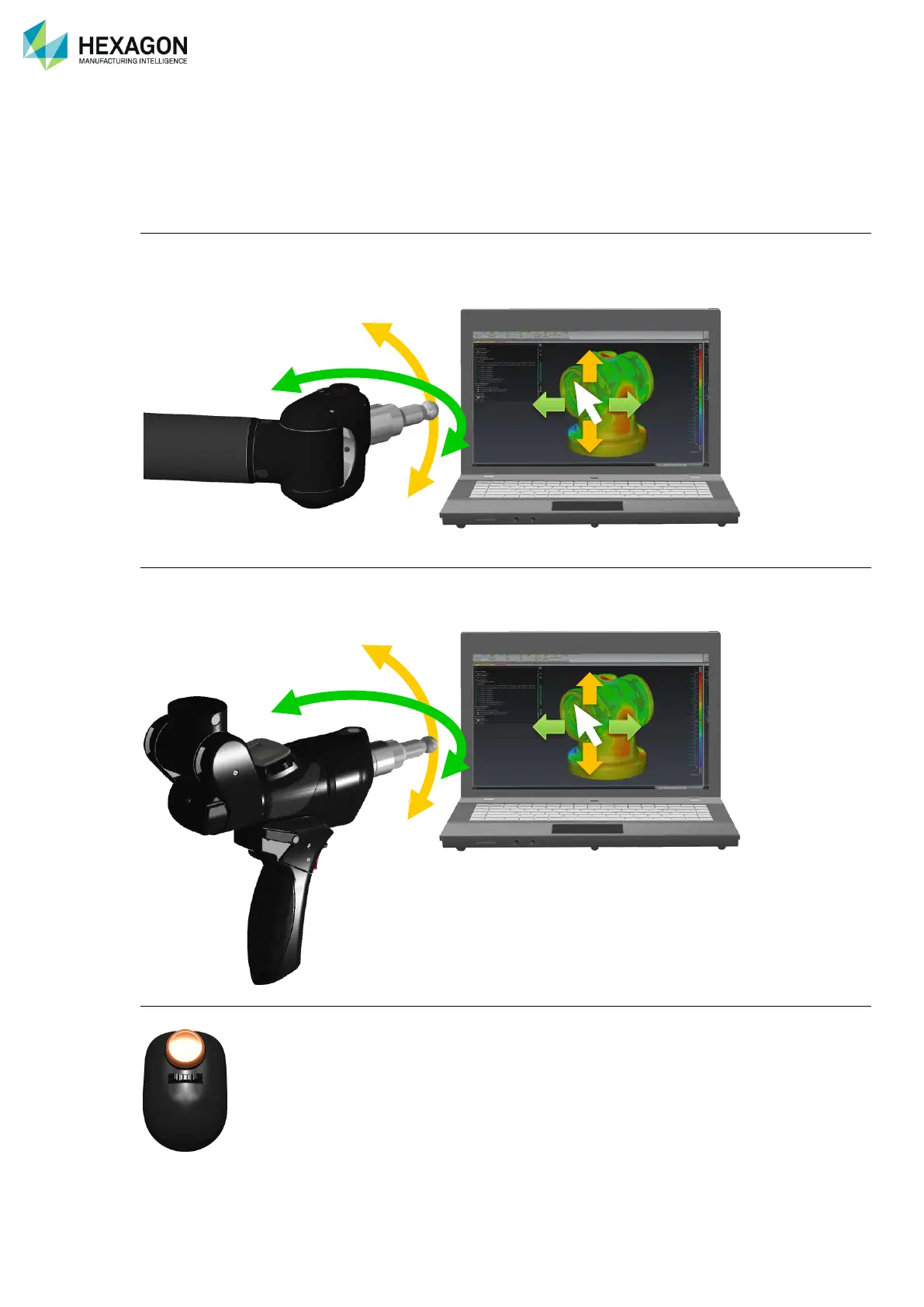
The pointer on the computer can be remote controlled by the arm. This functionality allows the user to
control the measurement software functions without returning to the computer.
The arm E and F axes control respectively movement:
On a 6 axes arm (horizontal position of the elbow)
• Rotate E axis around a central position to move the pointer up and down from the centre of the screen
• Rotate F axis around a 90° position, to move the pointer left and right around the centre of the screen
• The use of E and F axis is toggled for a vertical position.
On SE / SI arm (vertical position of the elbow)
⚫ Rotate F axis around a central position to move the pointer up and down from the centre of the screen
⚫ Rotate E axis around a 90° position, to move the pointer left and right around the centre of the screen
⚫ The use of E and F axis are toggled for a horizontal position.
Buttons:
By default, the Trigger button is the left click



 To Next Page
 Loading...