10.5.3.6 cos-remap
Description
With this command depending on the priority when receiving a frame, you can change the
priority with which it is sent.
Requirement
You are in the QOS configuration mode.
The command prompt is as follows:
cli(config-qos)#
Syntax
Call up the command with the following parameters:
cos-remap interface <interface-type><interface-id> <prio (0-7)>
<remapped prio (0-7)>
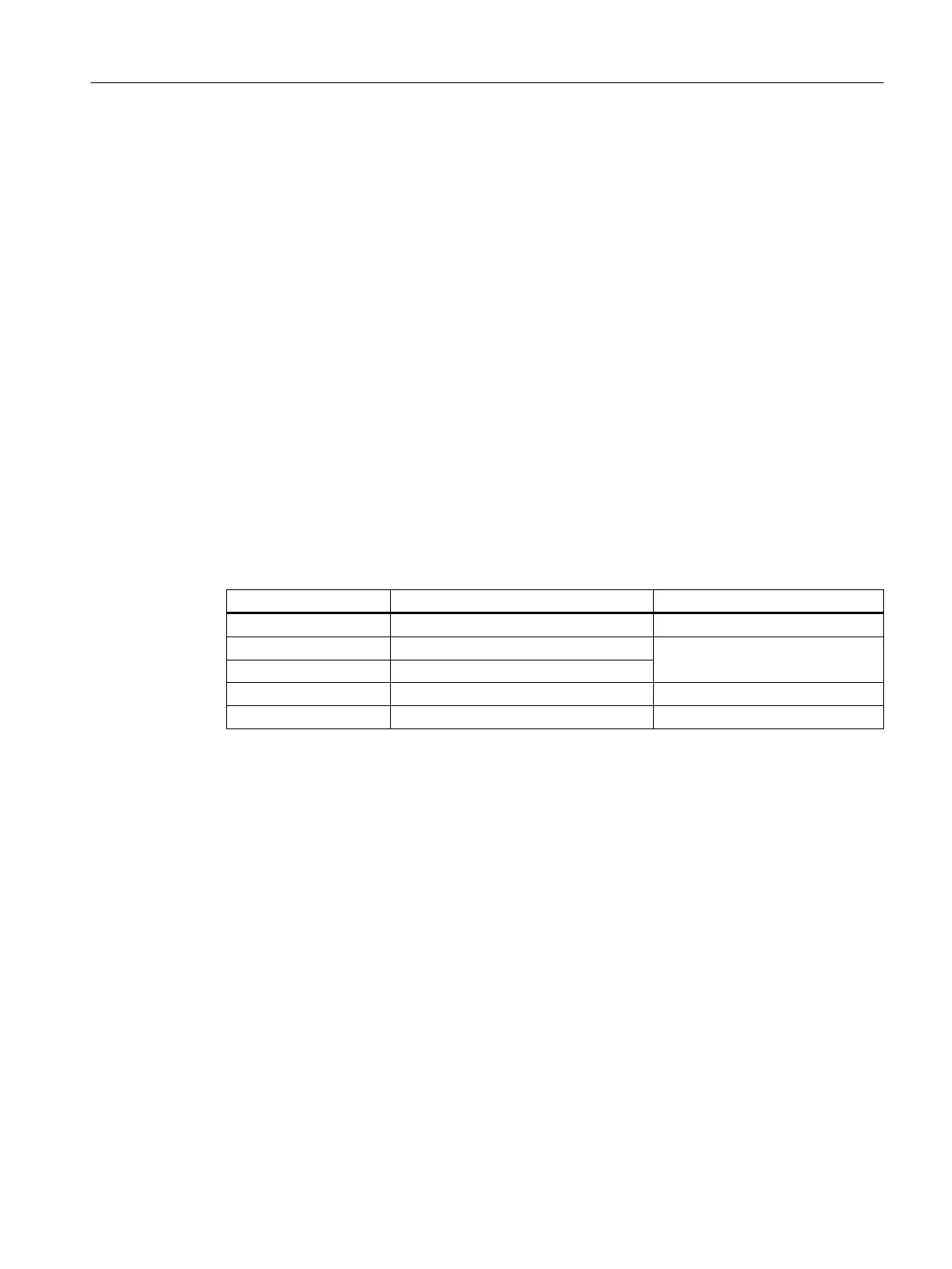
The parameters have the following meaning:
Parameter Description Range of values / note
interface Keyword for a an interface description -
interface-type Type or speed of the interface Enter a valid interface
interface-id Module no. and port no. of the interface
prio Priority with which a frame is received. 0 … 7
remapped prio Priority with which a frame will be sent 0 … 7
Result
The send priority has been changed.
Further notes
You reset the send priority to the default value with the no cos-remap command.
You enable the CoS reassignment with the cos-remap-enable command.
You disable the the CoS reassignment with the no cos-remap-enable command.
You display the assignment table for the send priority with the show qos cos-remap
command.
Load control
10.5 Service classes
SCALANCE XB-200/XC-200/XF-200BA/XP-200/XR-300WG Command Line Interface
Configuration Manual, 07/2017, C79000-G8976-C361-06 489


 To Next Page
 Loading...