CHAPTER 3 IMAGE READING/PROCESSING SYSTEM
COPYRIGHT
©
2002 CANON INC. 2000 CANON iR1600/iR2000 REV.1 JAN. 2002
3-23
5.2 CS Unit
5.2.1 Removing the CS Unit
1) Remove the copyboard glass. (Refer to
5.1.1)
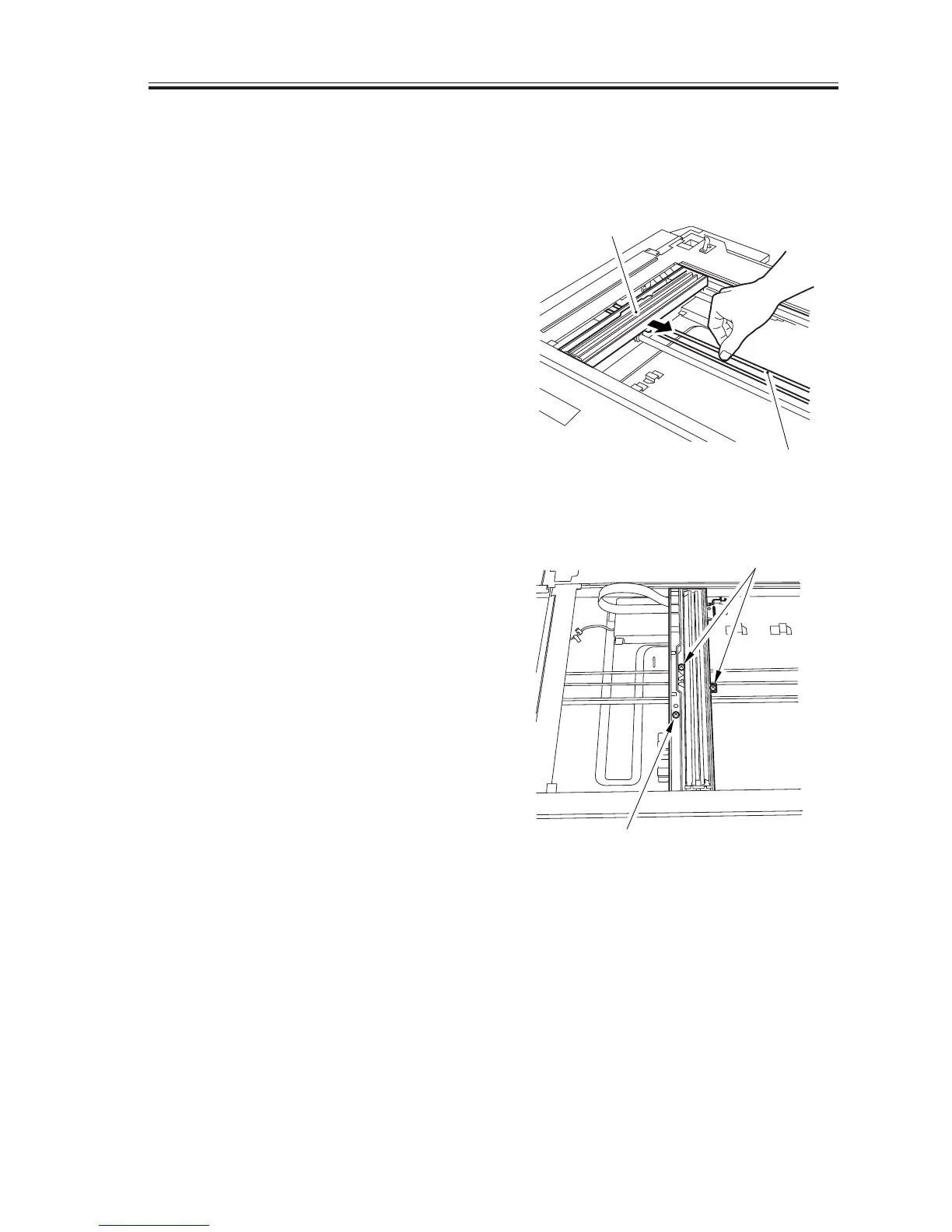
2) Move the belt [1] with your finger to
move the CS unit [2] near the center of
the copyboard.
F03-502-01
3) Remove the 3 screws [3].
F03-502-02
[2]
[1]
[3]
[3]


 To Next Page
 Loading...






