COPYRIGHT
©
2002 CANON INC. 2001 2001 2001 2001 CANON Printer Board-N1/iN-E5 REV.0 JAN. 2002
4-6
CHAPTER 4 INSTALLATION
1.4 Unpacking the Hard Disk HD-65 and Checking the Contents
If you are installing a Hard Disk HD-65 to the Printer Board-N1, go through the follow-
ing steps:
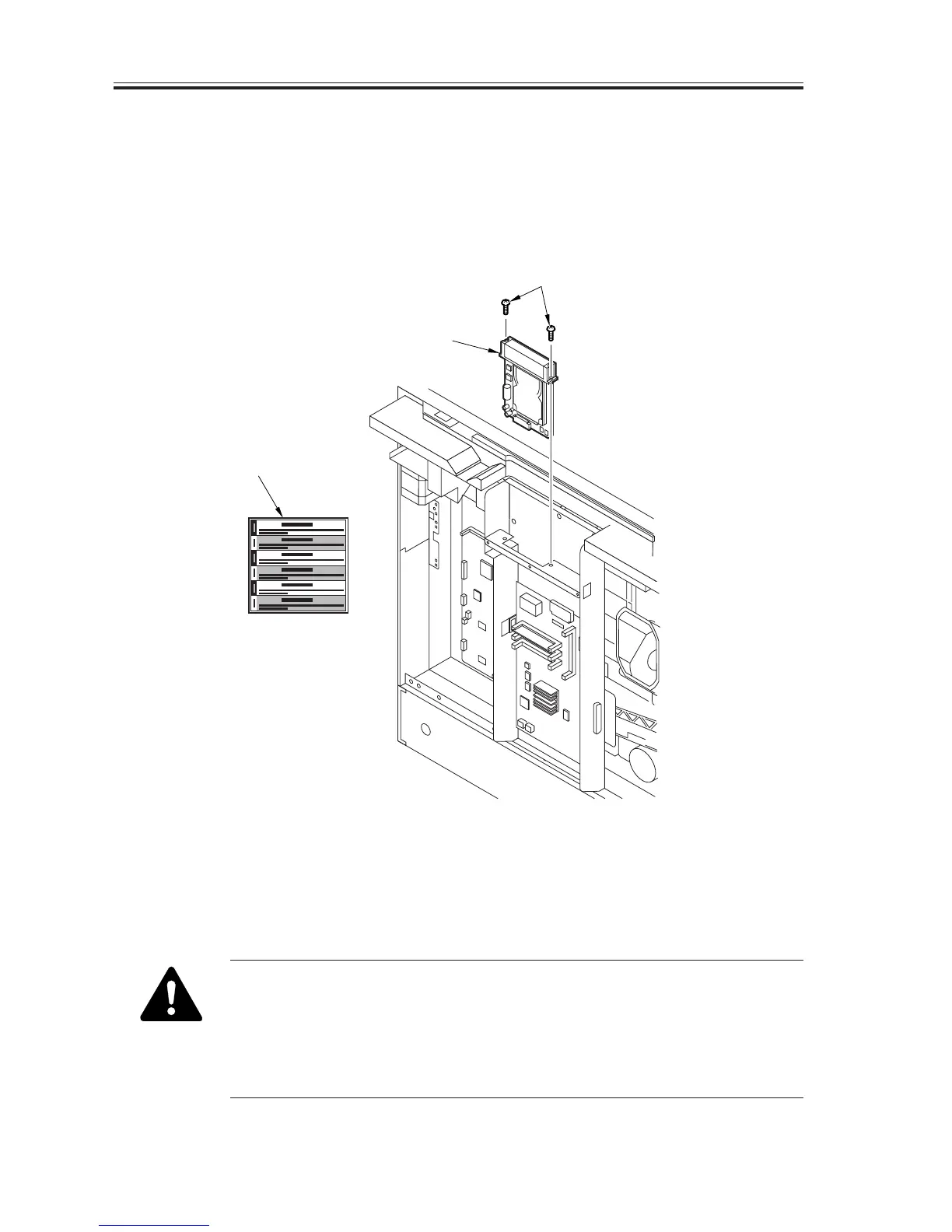
Unpack the Hard Disk (HD-65), and check its contents:
[1] Hard disk ........................ 1 pc.
[2] Mounting screw .............. 2 pc.
[3] Guide sheet ..................... 1 pc.
F04-104-01
• To avoid the effects of static charges while handling the hard disk, be
sure to put on a wrist strap (CK-0534-000). Otherwise, touch a metal
object found in the room to rid your body of static charges.
• Do not touch the elements of the hard disk or its circuitry.
• The hard disk is highly vulnerable to impact. Take extra care when han-
dling it.
[1]
[3]
[2]


 To Next Page
 Loading...






