CHAPTER 8 EXTERNALS AND AUXILIARY CONTROL SYSTEM
COPYRIGHT
©
2002 CANON INC. 2000 CANON iR1600/iR2000 REV.1 JAN. 2002
8-20
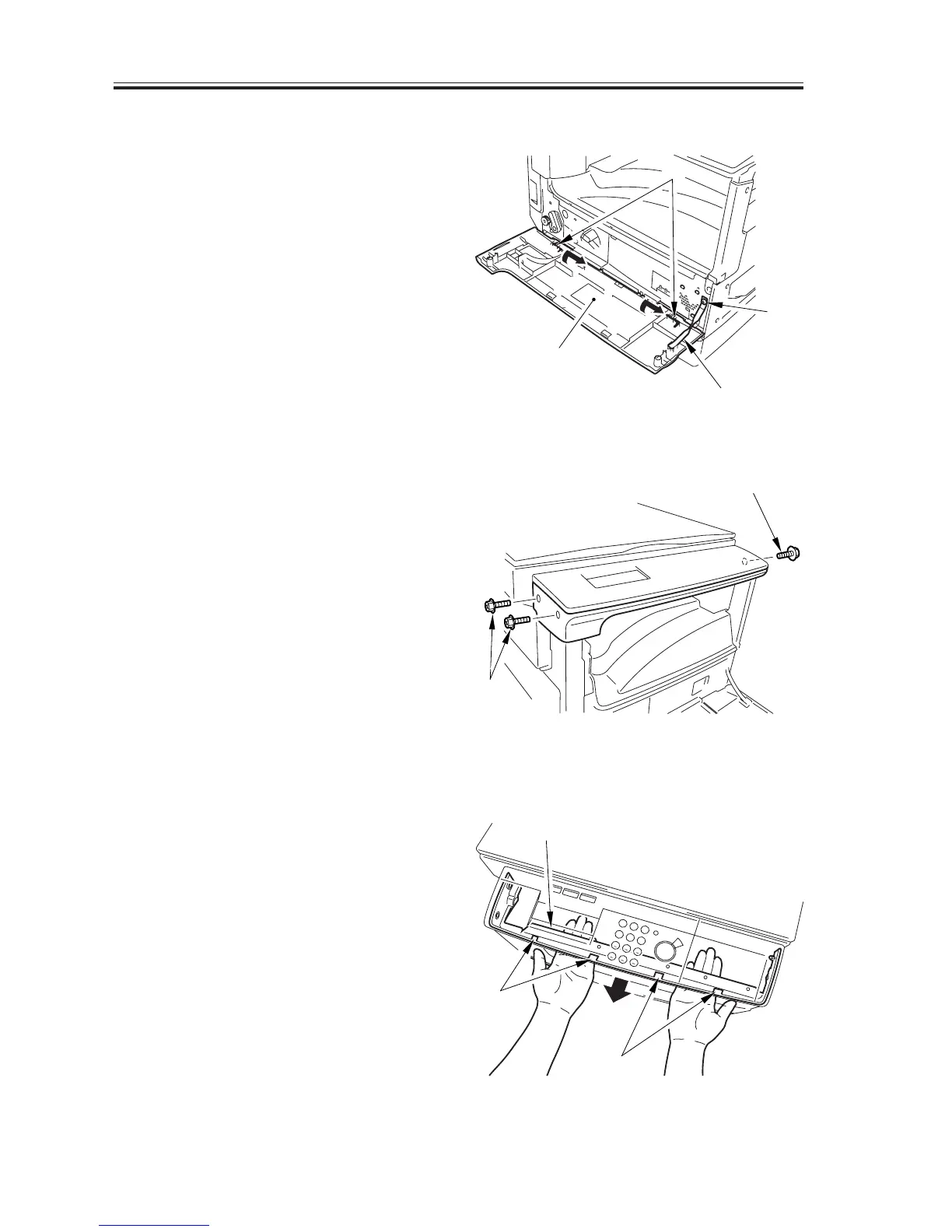
6.1.1 Removing the Front Cover
1) Open the front cover [1], and remove
the screw [2]; then, remove the door
tape [3].
2) Remove the 2 L-shaped pins [4], and
detach the front cover [1].
F08-601-02
6.1.2 Removing the Control Panel Lower Cover
1) Remove the 3 screws [1].
F08-601-03
2) Free the 4 claws [2], and detach the
control panel lower cover [3].
F08-601-04
[1]
[1]
[2]
[3]
[2]
[1]
[2]
[3]
[4]


 To Next Page
 Loading...






