COPYRIGHT
©
2002 CANON INC. 2001 2001 2001 2001 CANON Printer Board-N1/iN-E5 REV.0 JAN. 2002
4-12
CHAPTER 4 INSTALLATION
1.6.1 Preparing for the Work
1) If a printer board exists in the host ma-
chine, turn off the machine’s power,
and disconnect its power plug from the
power outlet.
2) To enable installation to the printer
board, remove the covers as necessary
from the host machine.
1.6.2 Installation
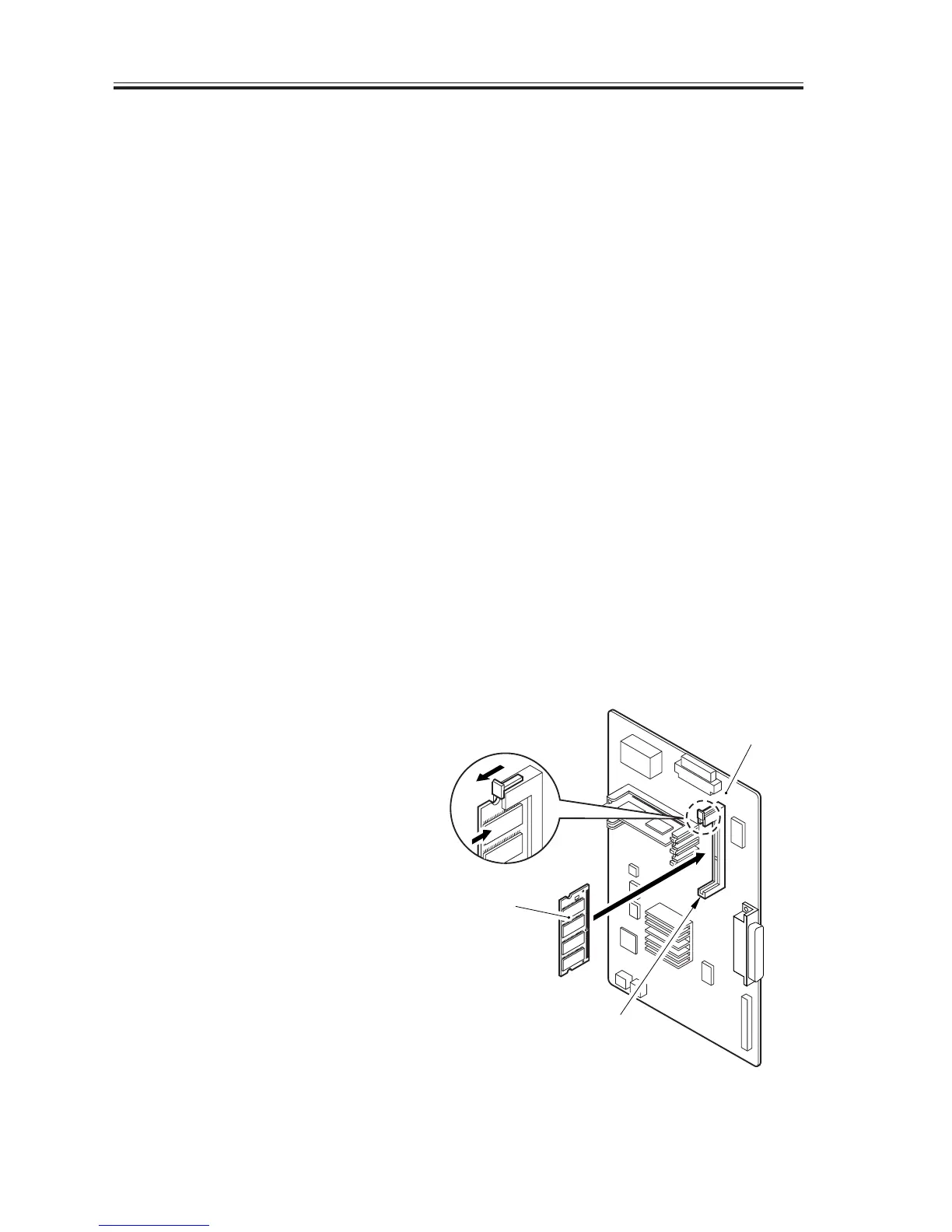
1) Insert the expansion RAM [2] into the
RAM slot (J4) of the printer board [1].
Insert the flash ROM module [3] into a
ROM slot (J1, J2, or J3; whichever is
available).
• When inserting the expansion RAM, be
sure to push it in until the locking lever
of the slot has risen as high as the slot.
When inserting the flash ROM module,
be sure to push it in until the locking le-
ver of the slot has been locked in posi-
tion in the cut-off of the ROM.
• Fitting the Expansion RAM
F04-106-01
[1]
J4
[2]


 To Next Page
 Loading...






