CHAPTER 5 IMAGE FORMATION SYSTEM
COPYRIGHT
©
22002 CANON INC. 2000 CANON iR1600/iR2000 REV.1 JAN. 2002
5-20
7.3 Transfer Roller
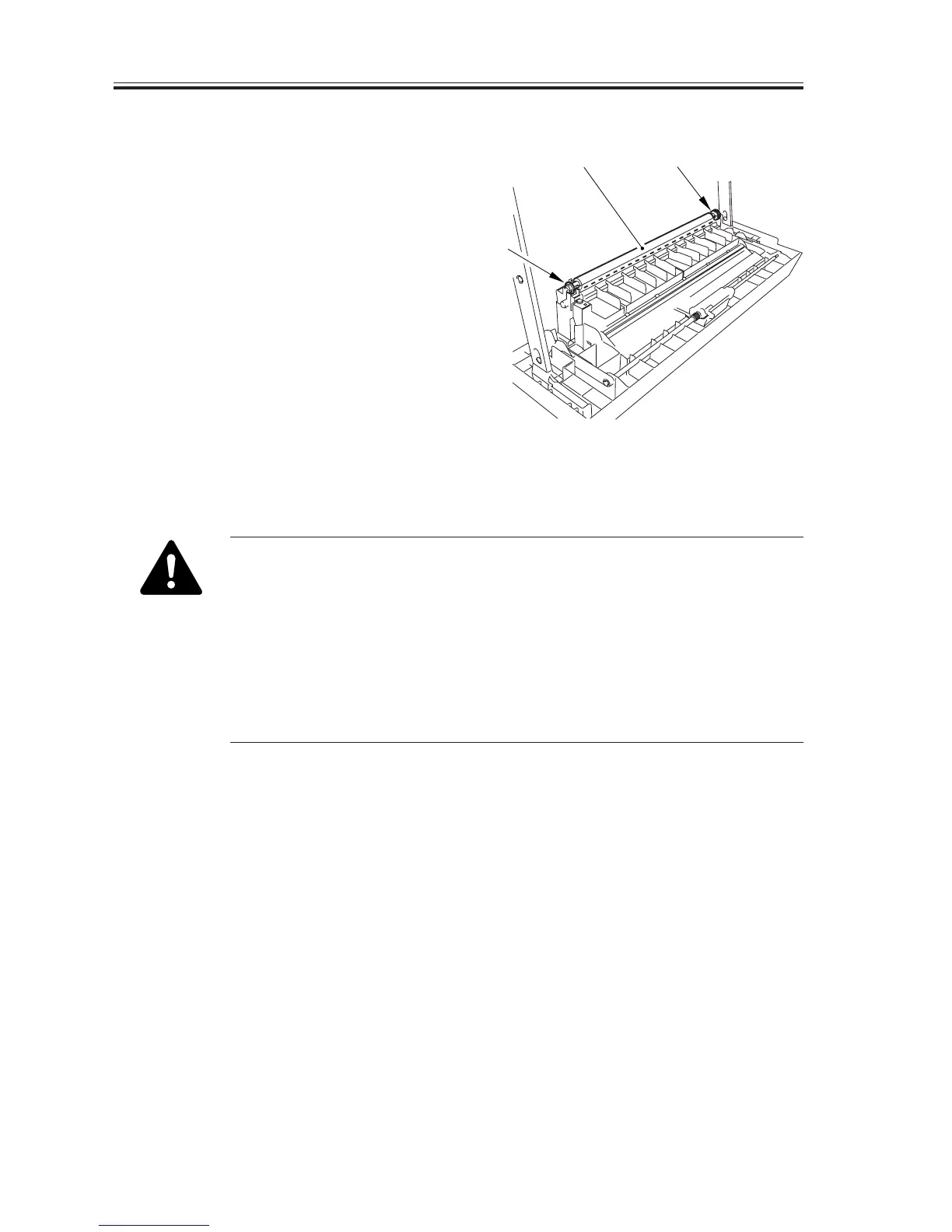
7.3.1 Removing the Transfer Roller
1) Slide out the left cover to detach.
2) Holding the shaft assembly [1], remove
the transfer charging roller [2].
F05-703-01
1. Do not hold the roller portion of the transfer charging roller. When
cleaning it, take care not to touch the roller surface or leave solvents or
oils.
2. To cleand the transfer charging roller, use lint-free paper (while making
sure not to leave paper lint) to dry wipe it. Do not use water or solvent.
3. If white spots occur in the print images or soiling occurs on the back
and, in addition, if the dirt of paper lint or toner cannot be removed us-
ing lint-free paper, or the roller is deformed, replace the transfer charg-
ing roller.
[2] [1]
[1]


 To Next Page
 Loading...






