CHAPTER 10 INNER 2-WAY TRAY
COPYRIGHT
©
2002 CANON INC. 2000 CANON iR1600/iR2000 REV.1 JAN. 2002
10-3
2 Controlling Delivery Operation
2.1 Controlling Delivery Operation
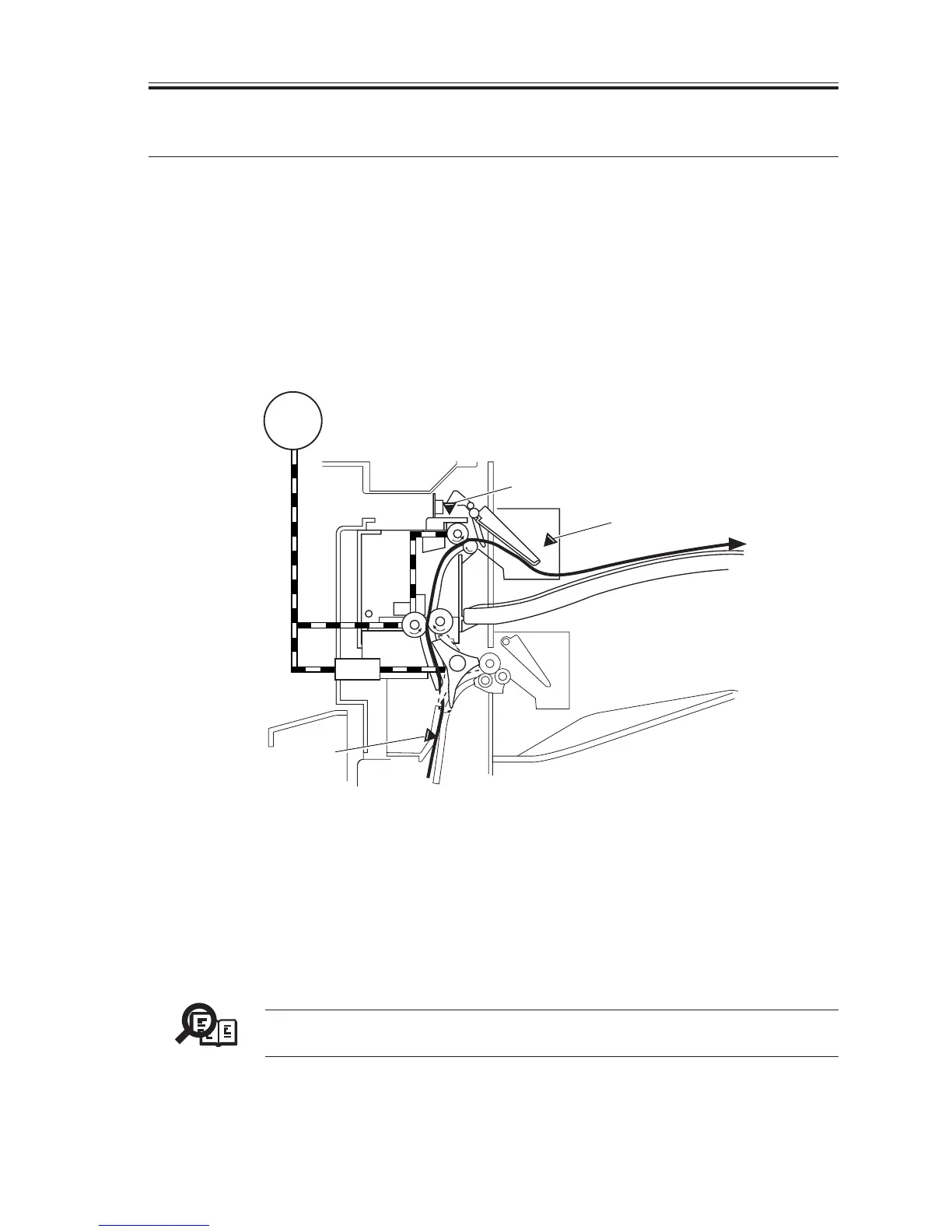
Paper is delivered to the No. 2 delivery slot as follows:
When paper is fed from the host’s fixing assembly and its leading edge reaches the deliv-
ery sensor (PS103), the 2-way delivery solenoid (SL201) goes ON to switch the paper path
to the No. 2 delivery slot.
The paper being moved is detected by the delivery sensor (PS201).
The volume of paper in the delivery tray is monitored by the No.2 full detection sensor
(PS202).
F10-201-01
2.2 Selecting a Delivery Slot (user mode)
Delivery tray A or delivery tray B may be selected for a specific type of output (copies,
prints) when installing the inner 2-way tray.
Memo
user mode>01 COMMON SETTINGS>07 TRAY SETTINGS>TRAY A,
TRAY B
SL201
M101
PS202
PS201
PS103



 To Next Page
 Loading...





