190-01115-01 G3X™/G3X Touch™ Avionics Installation Manual
Rev. AV Page 22-15
22.3 Jackscrew Connector Installation
The D-sub connectors in a G3X™ avionics/G3X™ Touch avionics system use metal backshells with a
convenient shield block for grounding the cable shields, and knurled jackscrews to attach the connector to
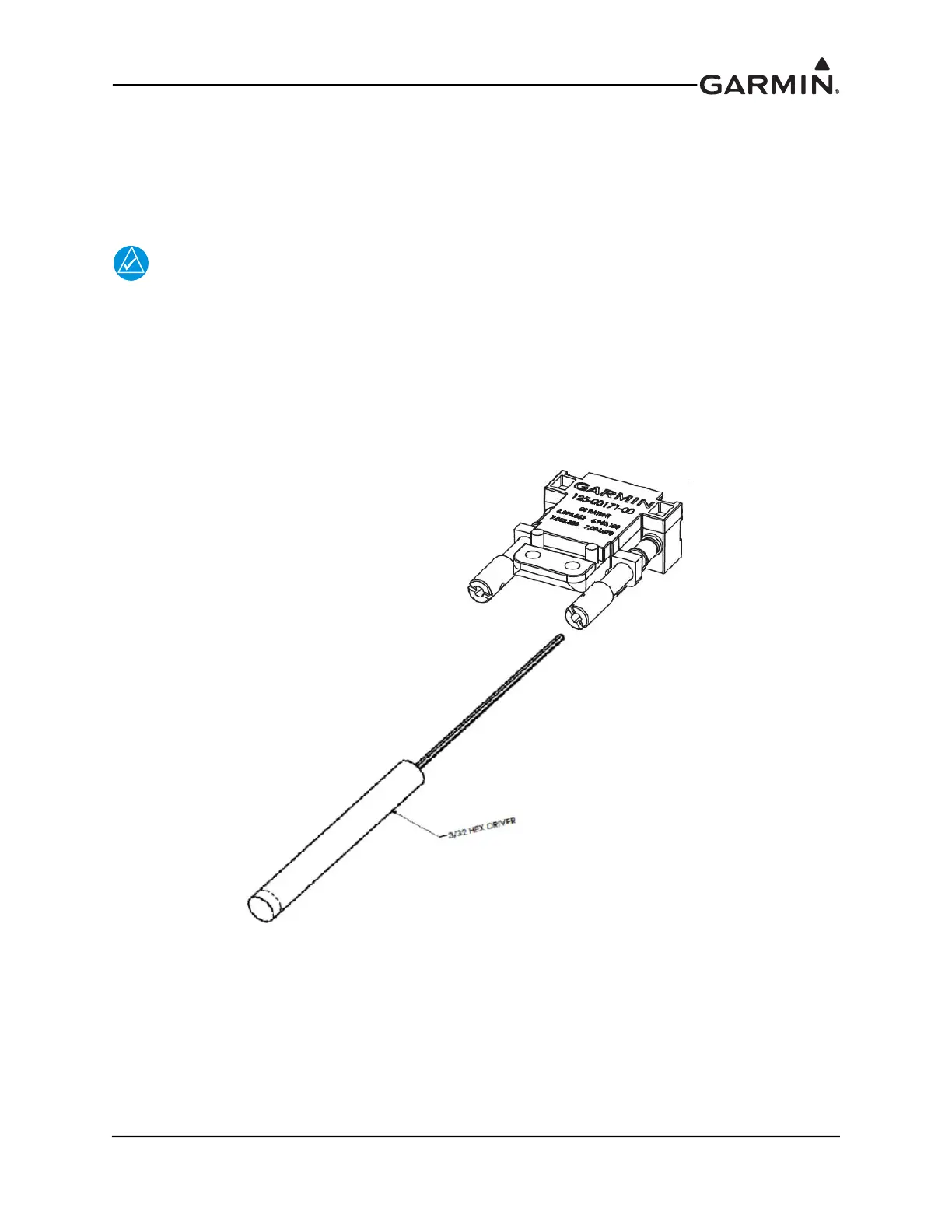
the mating connector on the avionics module. The jackscrews should be tightened to 6-8 in. lbs. with a
small slotted screwdriver, or a 3/32” hex tool (preferred, Figure 22-9).
NOTE
It is important to make sure that connectors are fully tightened. Loose connectors may
cause vibration-related performance issues that are difficult to troubleshoot.
The connector jackscrews are also pre-drilled to accept safety wire where additional security is desired. It
is generally not a requirement to safety wire these connectors, especially when tightened with a hex tool.
Do not tighten more than 8 in. lbs. to prevent damage to the mating hardware.
Figure 22-9 Jackscrew Hex Driver


 To Next Page
 Loading...












