190-01115-01 G3X™/G3X Touch™ Avionics Installation Manual
Rev. AV Page 30-137
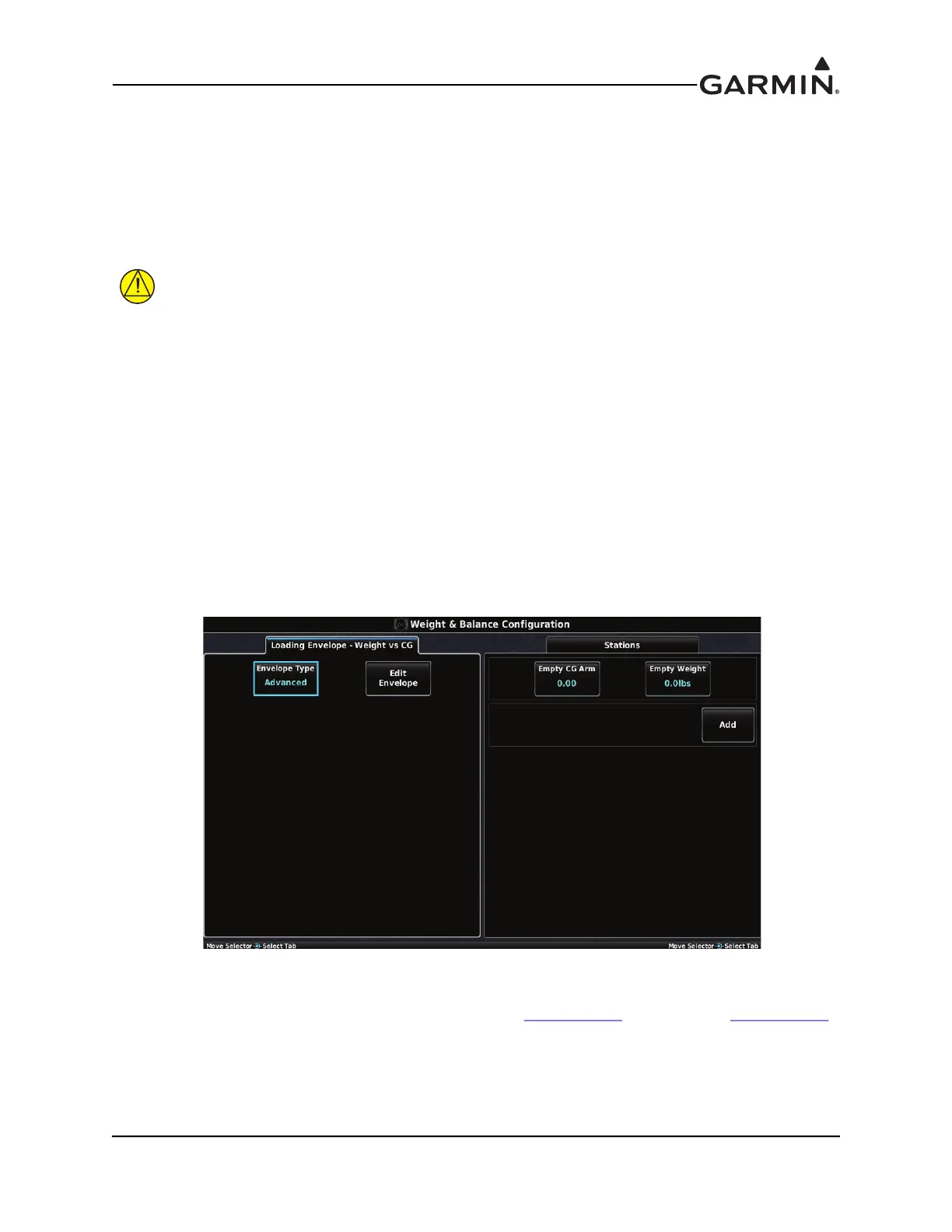
30.4.16 Weight & Balance Configuration Page
Configuring the Weight & Balance function is optional. The Weight & Balance Configuration Page allows
setting the weight and balance parameters including the loading envelope for the airplane. These
parameters are then used on the Main Menu W/B Page in normal mode. Weight/Balance may be used
during pre-flight preparations to verify the weight and balance conditions of the aircraft. By entering the
weight and arm values into the Aircraft Empty window, the GDU 4XX can calculate the total weight,
moment, and center of gravity (CG).
CAUTION
It is the installer’s responsibility to verify the accuracy of the data/values entered and the
resulting envelope graph depicted on the weight and balance configuration page.
Before entering the various figures, the empty weight of the airplane and the arm (or “station”) for each
weight should be determined. These figures should be determined using the aircraft weight and balance
documentation for the airplane, which notes the weight limitations, balance, fore/aft CG limits and loading
envelope. Compare those figures to the values calculated by the GDU 4XX.
The Loading Envelope - Weight vs CG window contains fields for the entry of minimum and maximum
aircraft weight, and the minimum and maximum CG location.
Each station listed in the Station window has an editable name and arm location. This allows the setting of
the units of measure used for that station (weight, or units of avgas or jet fuel). An optional maximum
value can be set for a particular station (e.g. a fuel tank might have a max capacity of 50 gallons) or the
max can be set to zero so that no maximum will be imposed.
1. In configuration mode, use the Touch Panel or a Move Selector Knob to select the Weight &
Balance Configuration Page.
2. Use the Touch Panel or a Move Selector Knob to select the desired configurable item and make the
desired change.
3. Enter data (where applicable) using the Keyboard (Section 30.4.1
) or Slider Bar (Section 30.4.2).
4. Press the Back key to return to the Configuration Mode page when finished (if desired).


 To Next Page
 Loading...












