190-01115-01 G3X™/G3X Touch™ Avionics Installation Manual
Rev. AV Page H-107
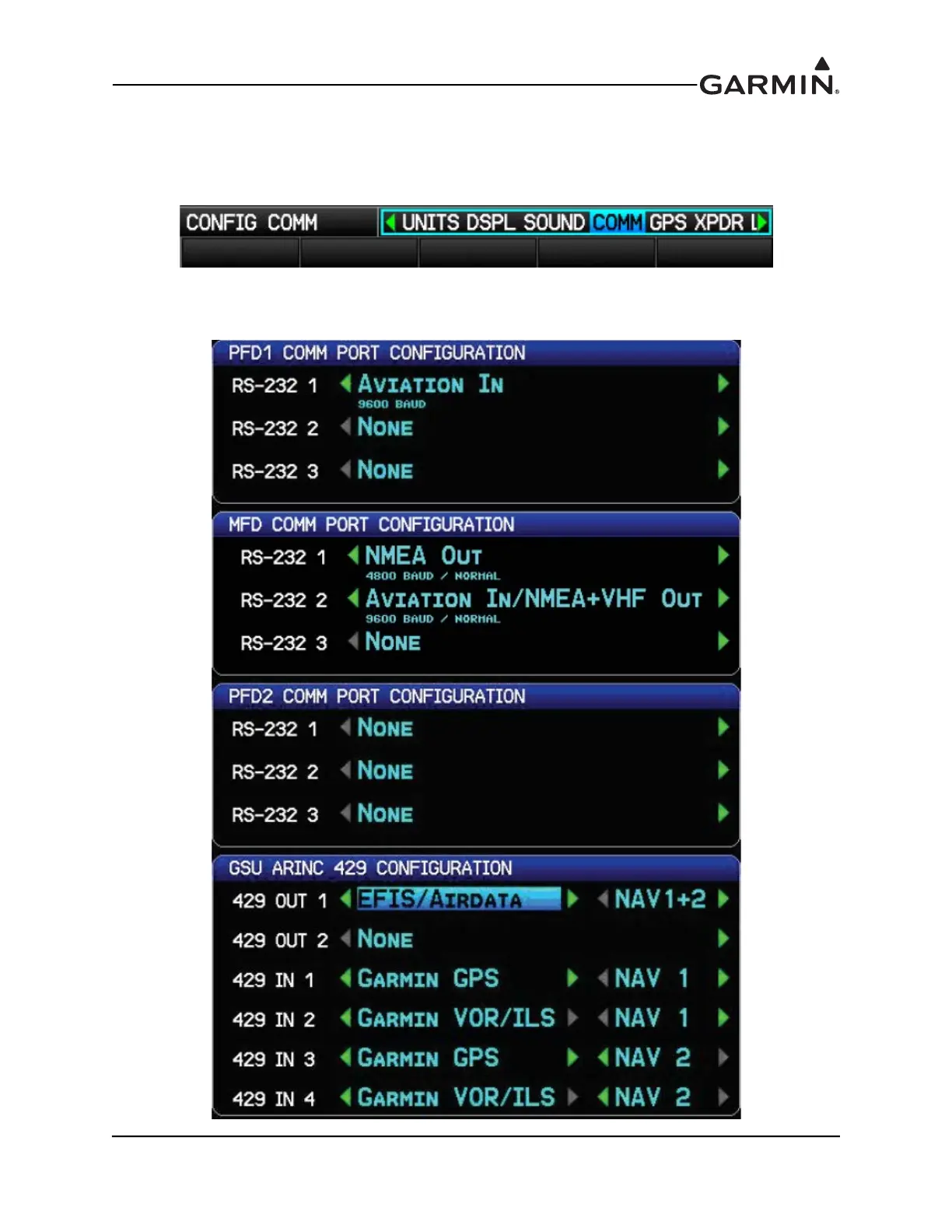
H.4.14 COMM Configuration Page
The COMM Configuration Page allows configuration of the RS-232 ports on the GDU 37X displays, and
ARINC 429 ports on the GAD 29 or GSU 73.
1. In configuration mode, use the FMS Joystick to select the COMM Page.
2. Use the FMS Joystick to select the desired configurable item and make the desired change. Then
press the ENT Key or use the FMS Joystick to select the next item. Press the FMS Joystick to
move the cursor to the page selection menu when finished.


 To Next Page
 Loading...












