COPYRIGHT
©
2000 CANON INC. 2000 2000 2000 2000 CANON iR5000/iR6000 REV.0 JULY 2000
CHAPTER 5 PICK UP/FEEDING SYSTEM
5-51 P
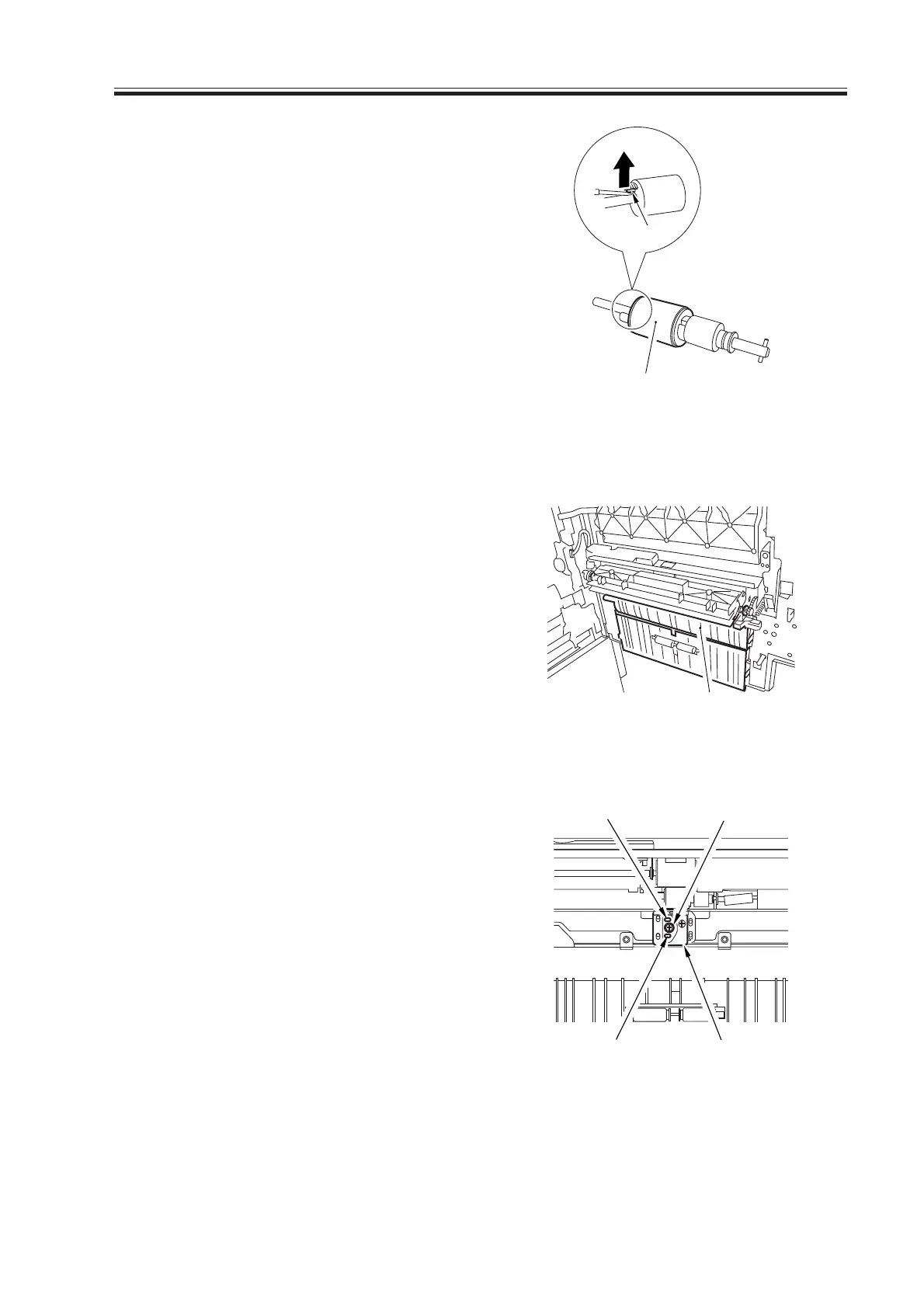
3) Disengage the hook [4] of the separa-
tion roller assembly, and detach the
separation roller [5].
F05-901-07
9.1.6 Adjusting the Pressure of the Separation Roller
1) Remove the right upper cover.
2) Remove the upper guide [1].
3) If double feeding or pickup failure oc-
curs during pickup, adjust the position
of the pressure spring of the separation
roller.
F05-901-08
• If double feeding occurs, remove the
mounting screw [2], and shift down the
mounting base [3]; then, fix it in hole A
using a mounting screw [2].
• If pickup failure occurs, remove the
mounting screw [2], and shift the
mounting base [3] up; then, fix it in
hole B using a mounting screw [2].
F05-901-09
[1]
[5]
[4]
[2]
[3]
Hole A
Hole B
Download Free Service Manual at http://printer1.blogspot.com


 To Next Page
 Loading...










