COPYRIGHT
©
2000 CANON INC. 2000 2000 2000 2000 CANON iR5000/iR6000 REV.0 JULY 2000
CHAPTER 3 STANDARDS AND ADJUSTMENTS
3-18 T
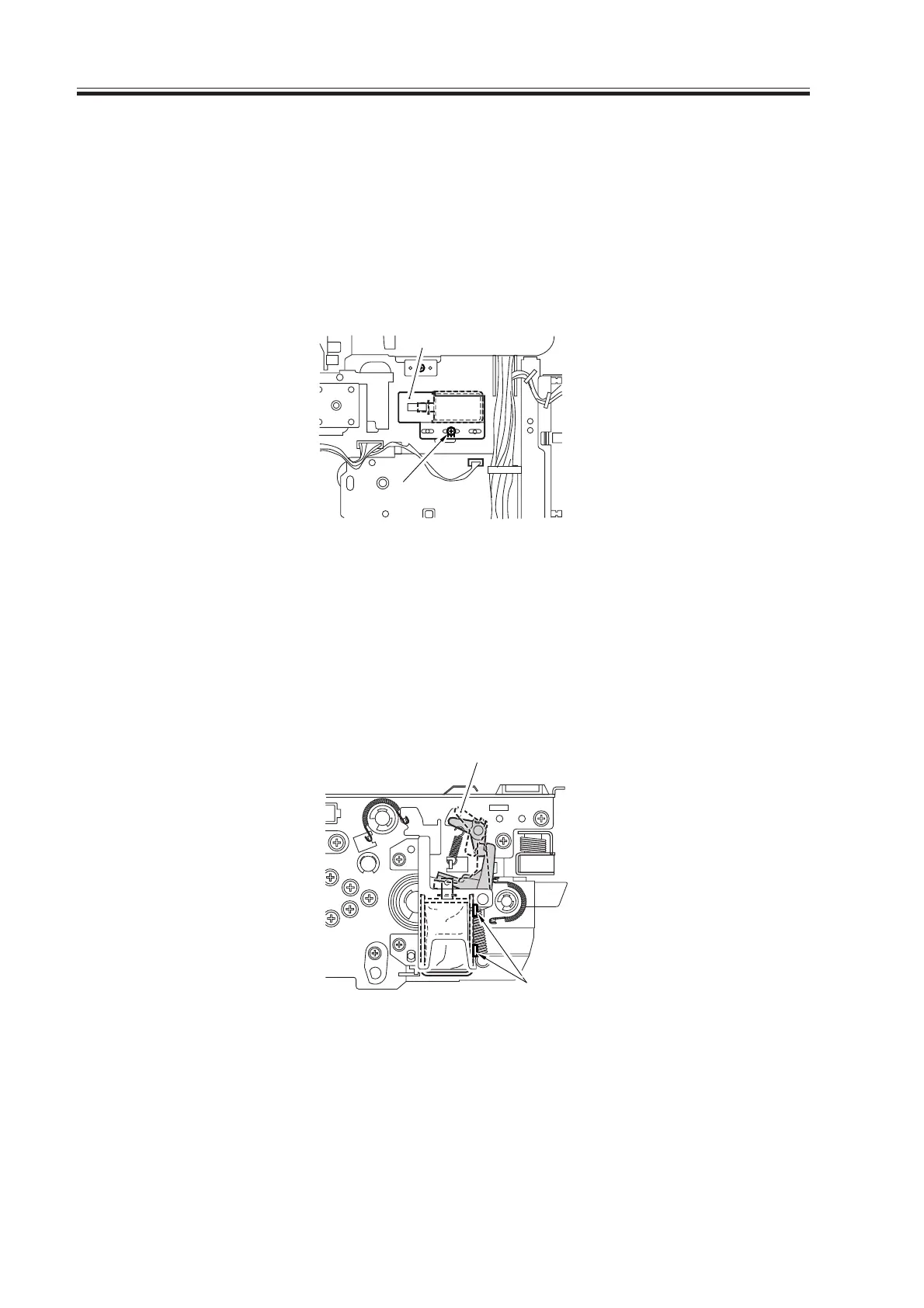
4.12 Adjusting the Position of the Left Deck Pickup Solenoid
(SL7)
Before removing the left deck pickup solenoid from the support plate [1], take note of its
position with reference to the fixing screw [2] of the solenoid. Or, mark the position for the
solenoid by drawing a line on the support plate with a scriber.
When mounting the solenoid on its own, be sure to secure it in its original position.
F03-412-01
4.13 Adjusting the Position of the Reversing Flapper Solenoid
(SL8)
1) Adjust the potion of the solenoid so that the drive lever [1] is pushed fully when the so-
lenoid turns on (i.e., when the plunger is drawn).
F03-413-01
[2]
[1]
[1]
[2]
Download Free Service Manual at http://printer1.blogspot.com



 To Next Page
 Loading...









