COPYRIGHT
©
2000 CANON INC. 2000 2000 2000 2000 CANON iR5000/iR6000 REV.0 JULY 2000
CHAPTER 5 PICK UP/FEEDING SYSTEM
5-72 P
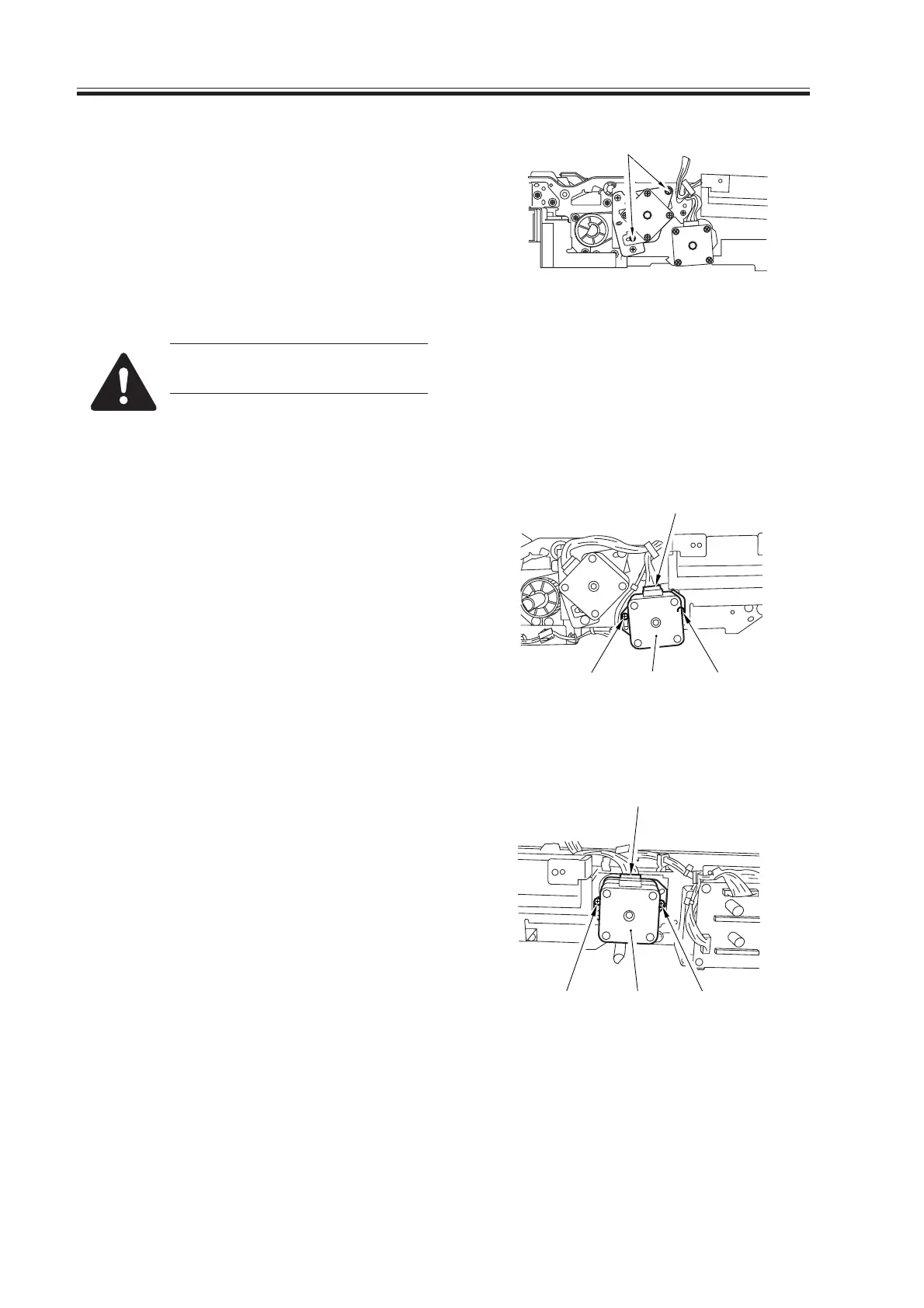
3) Loosen the two screws [2] that have
been tightened temporarily, and check
to make sure that the spring provides
tension; then, tighten the screws [2].
F05-906-07
At the end, be sure the timing
belt has tension.
9.6.5 Removing the Duplexing Feeding Left Motor
1) Remove the front cover of the duplex
unit.
2) Disconnect the connector [1], and re-
move the two screws [2]; then, detach
the duplex feeding left motor [3].
F05-906-08
9.6.6 Removing the Duplex Feeding Right Motor
1) Remove the front cover of the duplex
unit.
2) Disconnect the connector [1], and re-
move the two screws [2]; then, detach
the duplex feeding right motor [3].
F05-906-09
[2]
[2][2] [3]
[1]
[1]
[2] [2][3]
Download Free Service Manual at http://printer1.blogspot.com



 To Next Page
 Loading...









