COPYRIGHT
©
2000 CANON INC. 2000 2000 2000 2000 CANON iR5000/iR6000 REV.0 JULY 2000
CHAPTER 5 PICK UP/FEEDING SYSTEM
5-59 P
A
B
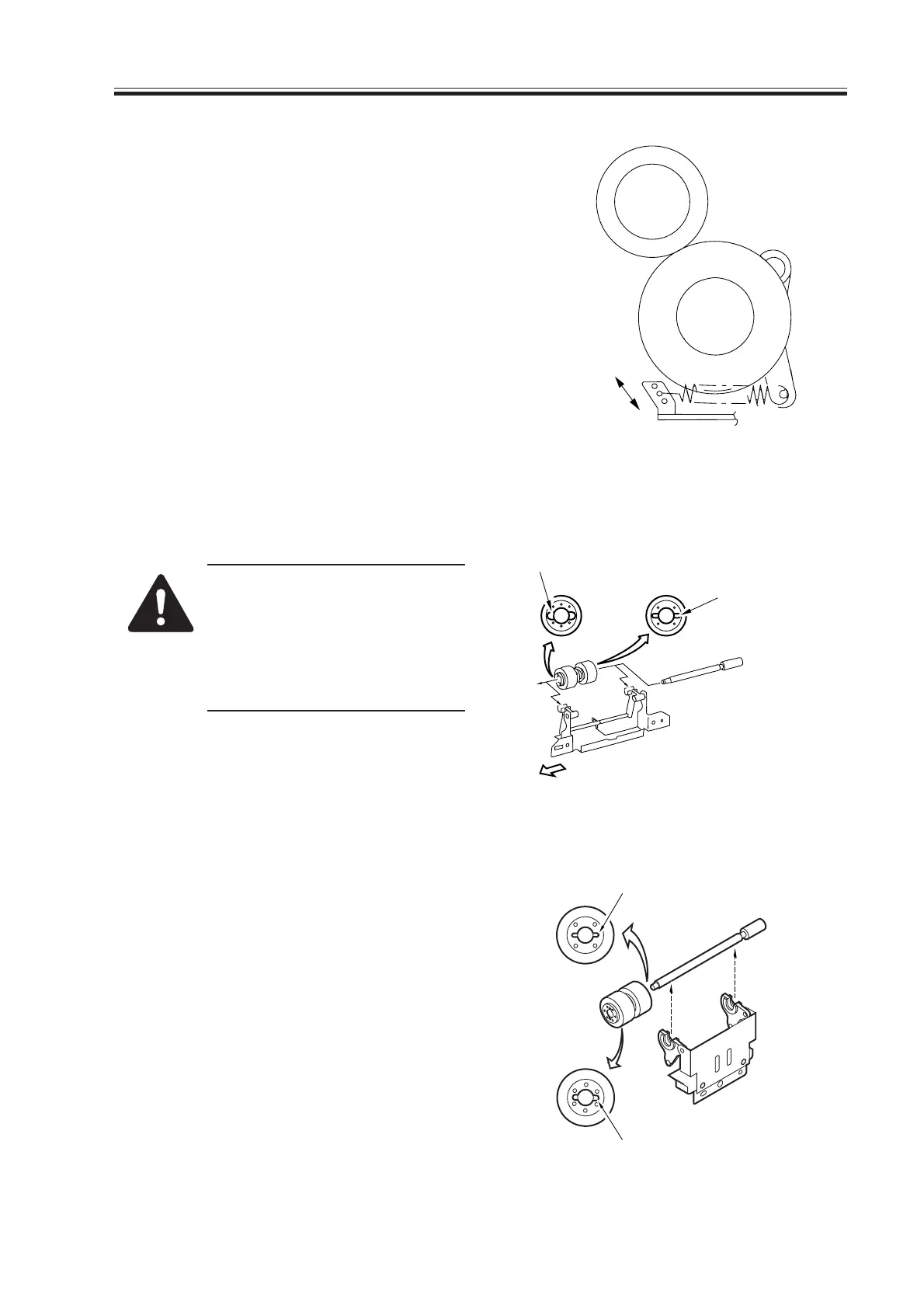
9.2.9 Adjusting the Separation Roller Pressure
If double feeding or pickup failure oc-
curs during pickup, change the position
for the pressure spring of the separation
roller.
• If double feeing occurs, move the
spring in the direction of arrow B.
• If pickup failure occurs, change the
spring in the direction of arrow A.
F05-902-14
9.2.10 Orientation of the Separation Roller
Keep the following in mind when replac-
ing the separation roller.
Mounting the separation roller
in the wrong orientation will
lead to interference against
crimping washer. Make sure it is
mounted in the correct orienta-
tion.
F05-902-15
Cassette 3/4
Right deck pickup assembly
Left deck pickup assembly
Wider groove
Narrower groove
(front of machine)
(rear of machine)
Wider groove
Narrow groove
Download Free Service Manual at http://printer1.blogspot.com



 To Next Page
 Loading...









