COPYRIGHT
©
2000 CANON INC. 2000 2000 2000 2000 CANON iR5000/iR6000 REV.0 JULY 2000
CHAPTER 5 PICK UP/FEEDING SYSTEM
5-53 P
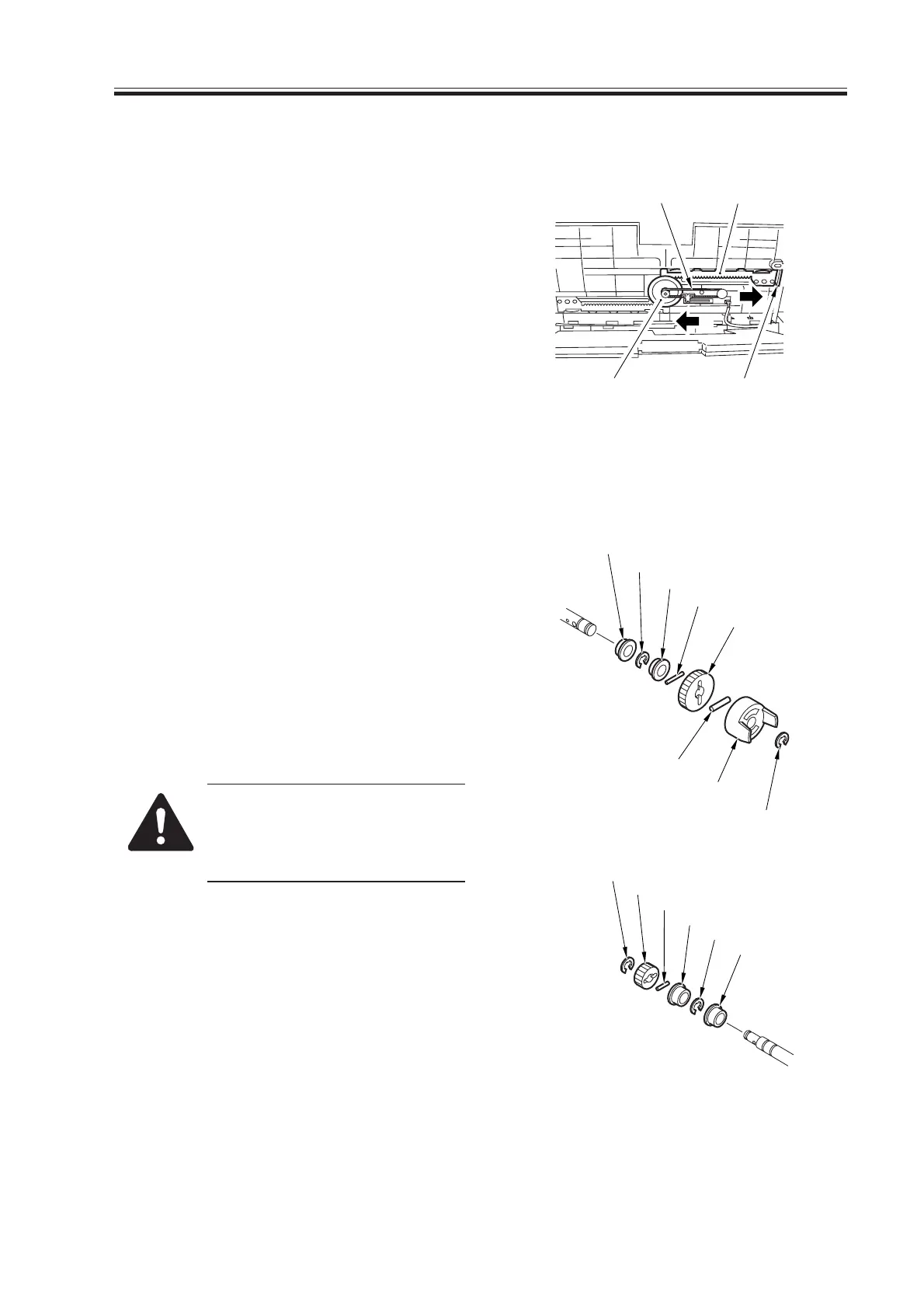
9.1.8 Attaching the Side Guide Timing Belt in the Manual Feed Tray
Assembly
1) Butt the rack plate [1] of the manual
feed tray against section A (open state).
2) Move the slide volume in the direction
of B, and attach the timing belt [2] onto
the pulley [3].
F05-901-13
9.1.9 Removing the Manual Feed Pull-Out Roller
1) Open the right upper cover. (See p. 5-
49P.)
2) Remove the manual feed pull-out roller
unit. (See p. 5-50P.)
3) Remove the two E-rings [1] (left, right).
4) Remove the stopper [2], two gears [3],
and two bushings [4].
5) Remove the two E-rings [5] and two
bushings [6]; then, detach the manual
feed pull-out roller.
When removing the stopper [2]
and the gear [3], take care not to
lose the three parallel pins [6];
they will slip off.
F05-901-14
A
B
[3]
[2] [1]
[1]
[3]
[7]
[4]
[5]
[6]
[5]
[4]
[7]
[3]
[7]
[2]
[1]
[6]
(front)
(rear)
Download Free Service Manual at http://printer1.blogspot.com



 To Next Page
 Loading...









