COPYRIGHT
©
2000 CANON INC. 2000 2000 2000 2000 CANON iR5000/iR6000 REV.0 JULY 2000
CHAPTER 5 PICK UP/FEEDING SYSTEM
5-68 P
9.5 Feeding Assembly
9.5.1 Removing the Feeding Belt
1) Slide the fixing/feeding unit from the
machine.
2) Remove the fixing front cover, feeding
right cover, and feeing left cover.
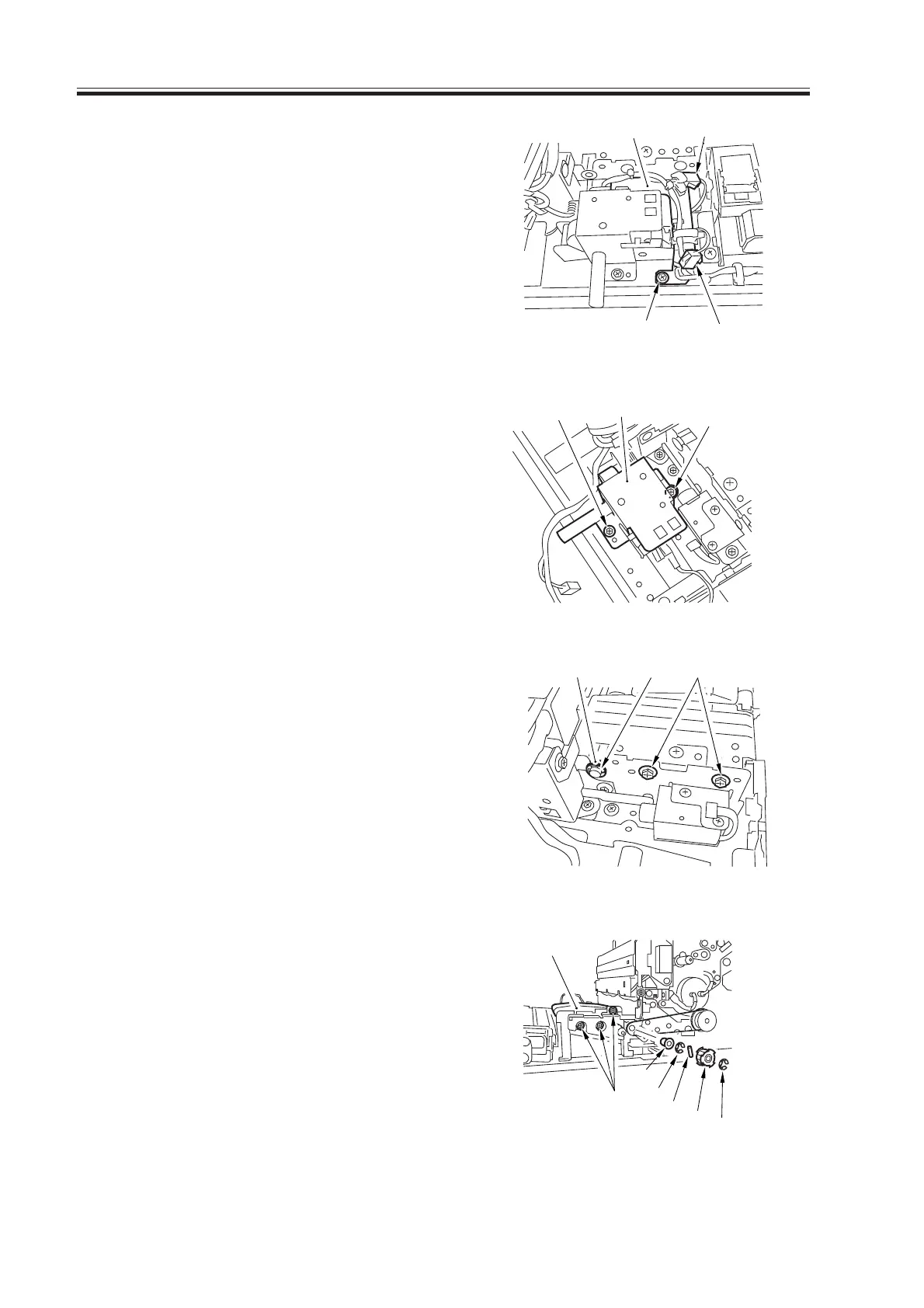
3) Disconnect the two connectors [1], and
remove the screw [2]; then, detach the
harness guide [3].
F05-905-01
4) Remove the two mounting screws [4],
and detach the fixing/feeding unit re-
leasing lever support [5].
F05-905-02
5) Remove the E-ring [6], bearing [7], and
two screws [8] from the front.
F05-905-03
6) Remove the E-ring [9], pulley [10], pin
[11], three screws [12], E-ring [13], and
bearing [14]; then, detach the feeding
belt unit [15].
F05-905-04
[3]
[1]
[1]
[2]
[4]
[5]
[4]
[6] [8][7]
[15]
[12]
[13]
[11]
[10]
[9]
[14]
Download Free Service Manual at http://printer1.blogspot.com


 To Next Page
 Loading...










