PAPER FEED UNIT OF TRAY 3 (7155/7165)
3-K-4
3 DIS./ASSEMBLY
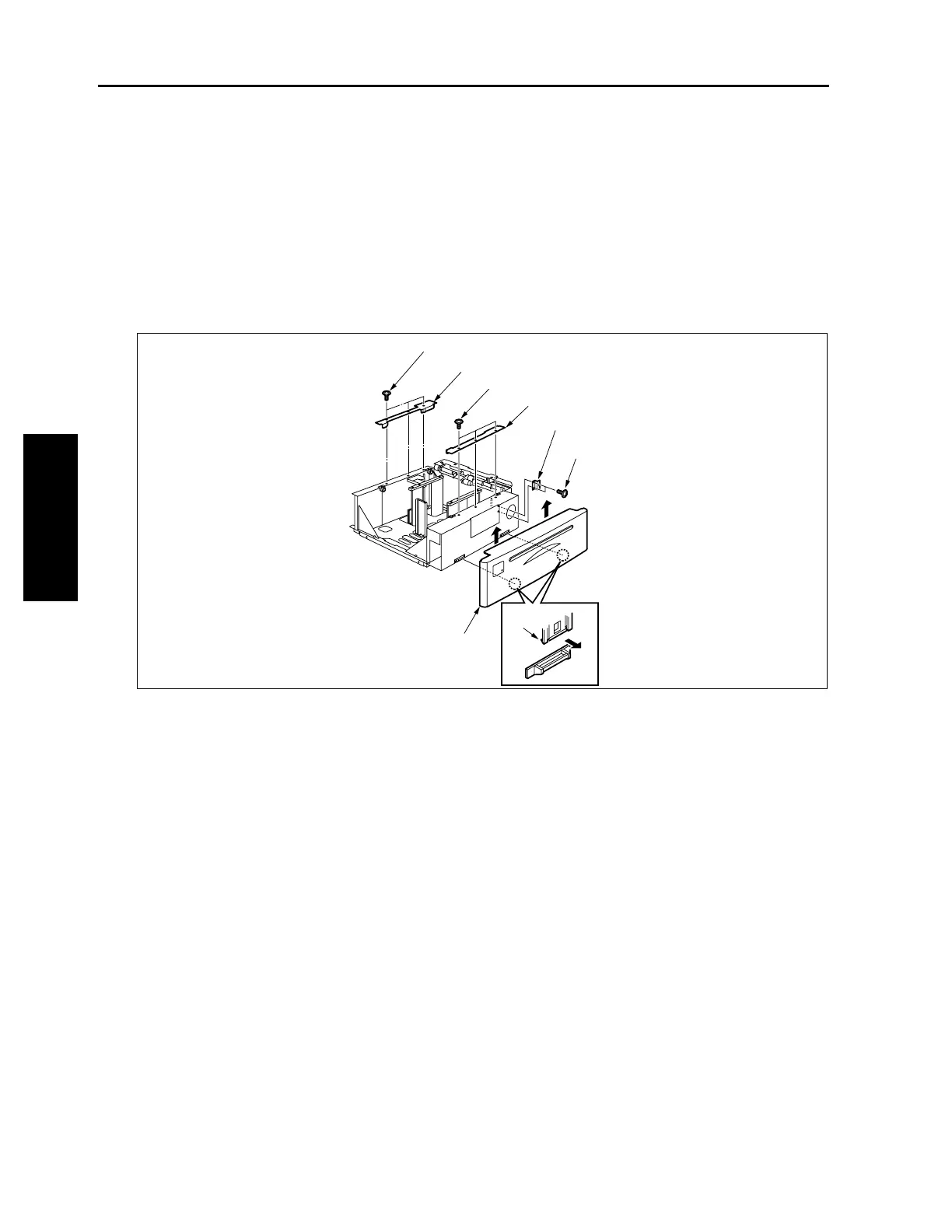
[6] Replacing the Wires
Caution1: After replacing or reinstalling the wires, manually rotate the up/down drive shaft to check that the
tray moves up and down smoothly.
Caution2: Be sure to install the wires so that they do not cross or ride over each other.
Removing Wires
(1) Remove the paper feed unit.
(2) Remove two claws to remove the tray front cover.
(3) Remove two screws to remover shaft supporting plate.
(4) Remove three screws to remove the wire cover(front) and wire cover (rear).
Wire cover (rear)
Tray cover (front)
Screws
Screws
Screws
Wire cover (front)
Shaft supporting plate


 To Next Page
 Loading...







