OTHER ADJUSTMENT
1 ADJUSTMENT
4
4
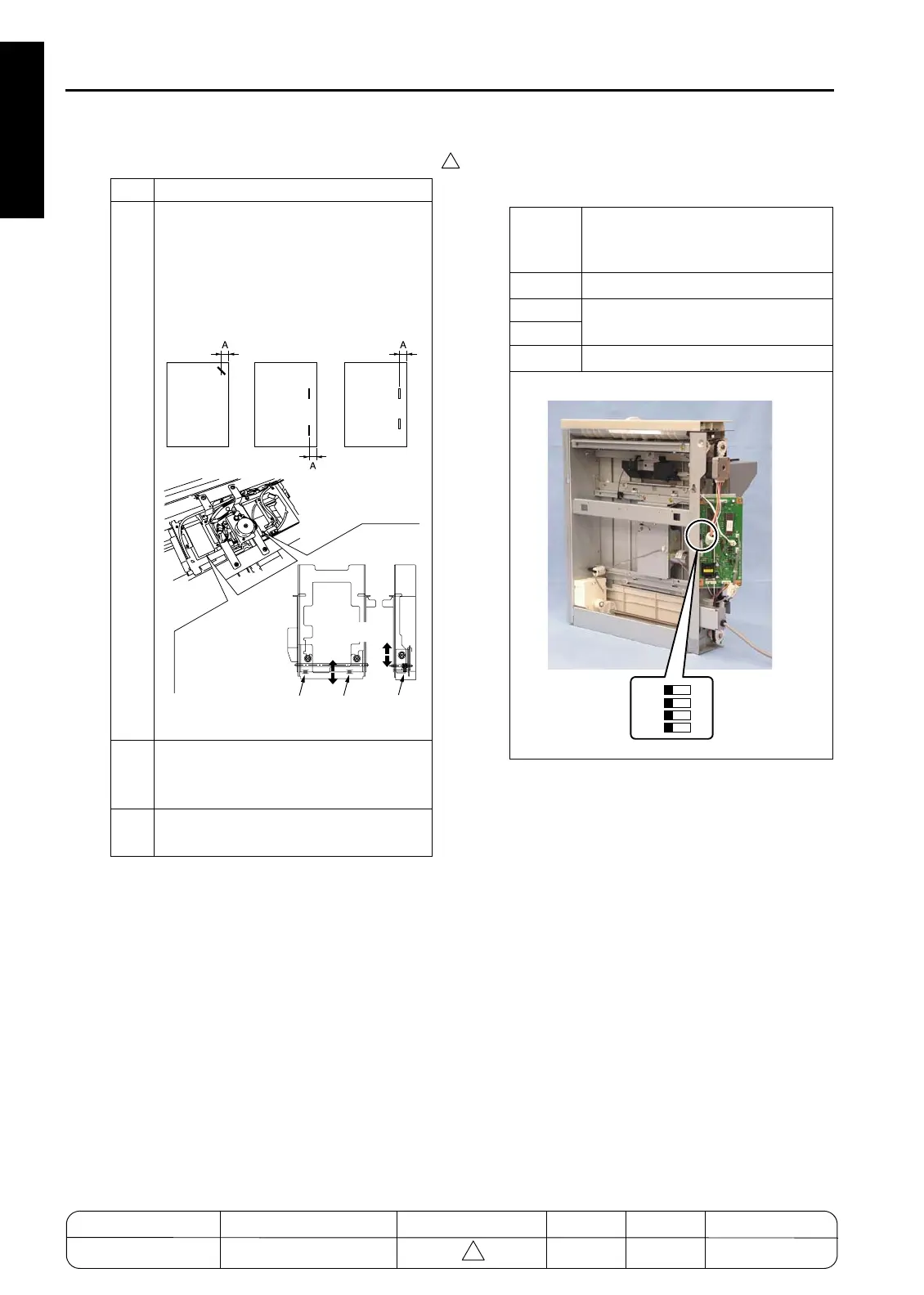
b. Adjustment
[47] SF-101 Testing Operation
1. Onboard Switch
Step Operation
1
Loosen the 3 set screws holding the flat-
stapling stopper bracket in place, and
position the bracket so that distance A is
within the specification range.
Spec range: A = 5.5 to 11.5mm
(initial value = 8.5mm)
2
Hold paper against the stoppers and
confirm that all three stoppers are in
alignment.
3
Execute stapling to confirm that the stop-
per line and stapler line are parallel.
7272fs1047
Scale
Scale
Scale
Adjust
DIP
switch
(SW100)
Function
SW100-1
No condition to be set.
SW100-2
Testing operation is set.
SW100-3
SW100-4
Testing operation is executed.
7272fs1050
1
OFF
ON
23
4
MODEL MANUAL REVISED EDITION DATE PAGE METHOD
SERVICE MANUAL Dec. 2003
7155/7165/7255/7272
1-150 ADDITION


 To Next Page
 Loading...







