OTHER ADJUSTMENT
1 ADJUSTMENT
4
4
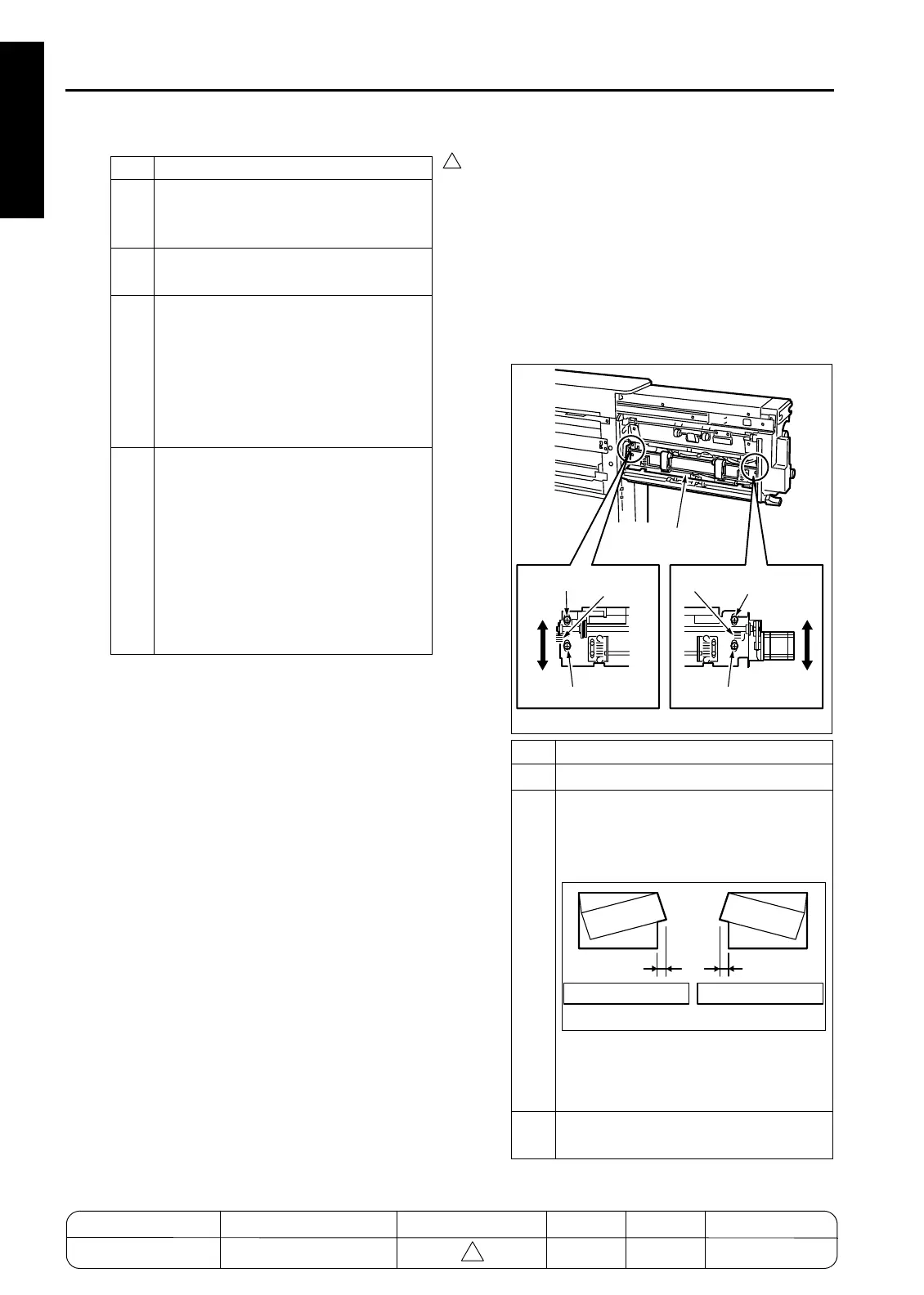
[33] Adjusting the PZ 2nd Folding Skew
2nd Stopper Assembly (PZ)
Caution: Before beginning this operation, com-
plete the adjustment described in the
[38] Adjusting the Position of the PZ
2nd folding Stopper section.
1. Tool
• Screwdriver (Phillips)
2. Adjustment method
Step Operation
1
Set paper into the tray and make a copy
(required to place the paper stopper at
its HP position).
2
Open the front door of the FNS and draw
out the conveyance unit.
3
Make sure that the distance between the
edge of the guide plate and the paper
stopper is within the specification range.
Spec range: A = 20 ± 0.5mm
If the distance is outside the spec range,
adjust according to the instructions
described in the following step.
4
Loosen the screws holding the pulleys
and adjust the distance by rotating the
pulleys. Tighten the screws.
Note: Do not rotate the shaft on which
the pulleys are attached. If it is
rotated for some reason, the
stopper is placed out of its HP
position. Then perform the proce-
dure again from Step 1.
Step Operation
1
Set A3 paper into the tray.
2
Set the original chart and make a copy of
it. Check the copy for a possible 2nd fold-
ing skew.
Spec range: within 2mm
If the folding skew is outside the spec
range, adjust according to the instruc-
tions described in the following steps.
3
MOpen the front door of the FNS and
draw out the conveyance unit.
7272fs1011
Screw
Ticks
Ticks
Screw Screw
Screw
2nd folding stopper
assembly
7272fs1012
2mm or less 2mm or less
Skew pattern A Skew pattern B
MODEL MANUAL REVISED EDITION DATE PAGE METHOD
SERVICE MANUAL Dec. 2003
7155/7165/7255/7272
1-136 ADDITION



 To Next Page
 Loading...






