OTHER ADJUSTMENT
1 ADJUSTMENT
MODEL MANUAL REVISED EDITION DATE PAGE METHOD
SERVICE HANDBOOK May 20027155/7165
[27-1] Adjusting the tilt of PI (when PK
punch is used) (PK-110)
1. Tool
• Screwdriver (Phillips)
•Scale
2. Adjustment method
a. Preparation
b. Adjustment
Step Operation
1
Check the following items:
• PI is connected to FNS.
• The tray of PI is loaded with paper.
2
Check the tilt of output paper in advance.
• Feed 3 sheets from PI with the Punch
mode selected to check the tilt of
punch holes.
3
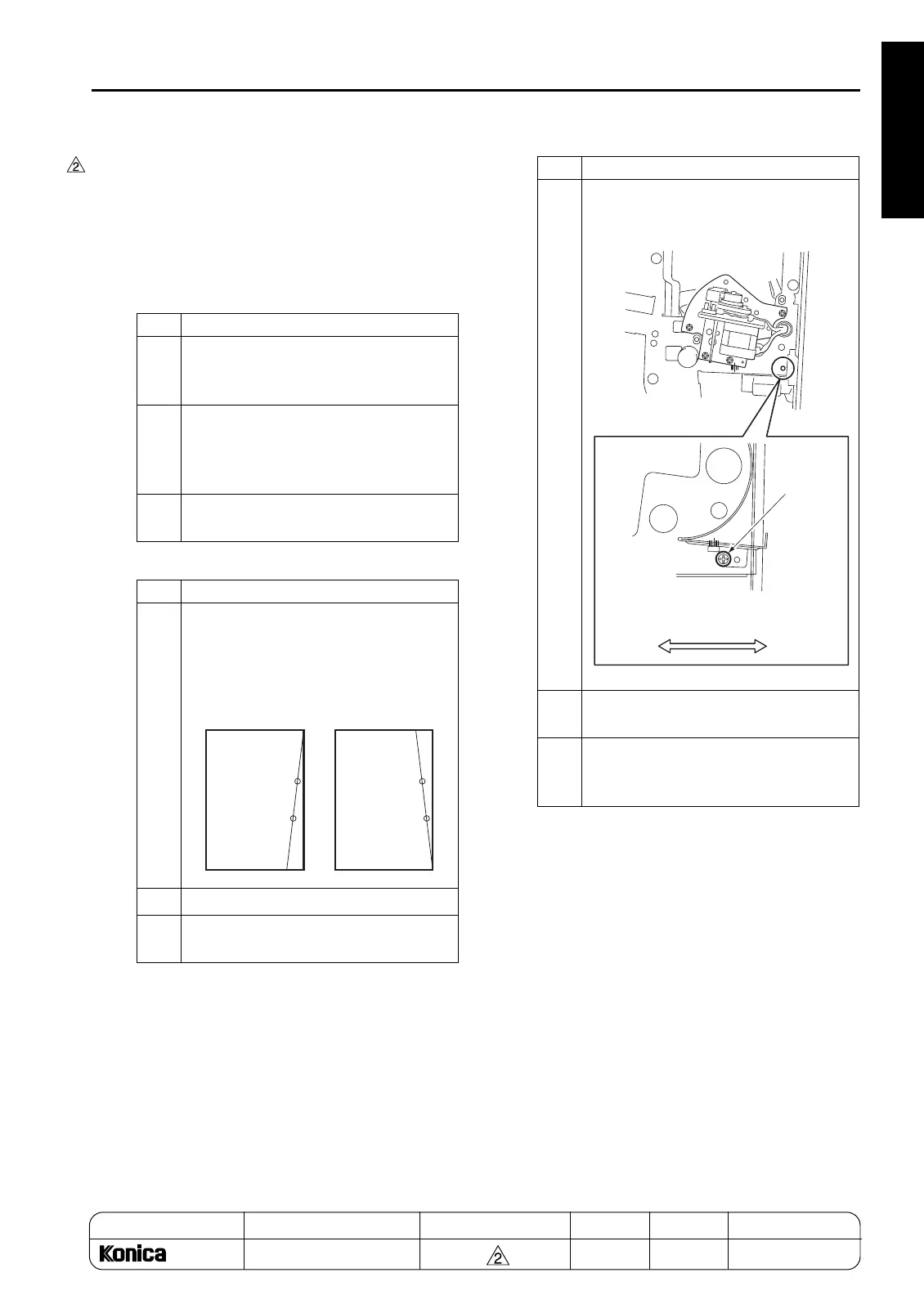
Loosen one screw securing the guide
plate.
Step Operation
1
Fold each of the fed 3 sheets into two as
illustrated below and find out in which
direction the punch holes tilt.
2
Open the FNS front cover.
3
Loosen one screw securing the guide
plate.
Tilting toward
the right edge
of the sheet
Tilting toward
the left edge
of the sheet
4
Using the mark as a guide, move the
guide plate laterally by the amount of tilt
in the position of punch holes.
5
Retighten the screw securing the guide
plate.
6
Repeat steps 1 to 5 until the amount of tilt
in the position of punch holes is
improved.
Step Operation
Screw securing
the guide plate
Tilting toward
the right edge
of the sheet
Tilting toward
the left edge
of the sheet
1-130-3
ADDITION



 To Next Page
 Loading...






