COPYRIGHT
©
2001 CANON INC. 2000 2000 2000 2000 CANON iR8500/7200 REV.1 AUG. 2001
CHAPTER 2 NEW FUNCTIONS
2-71
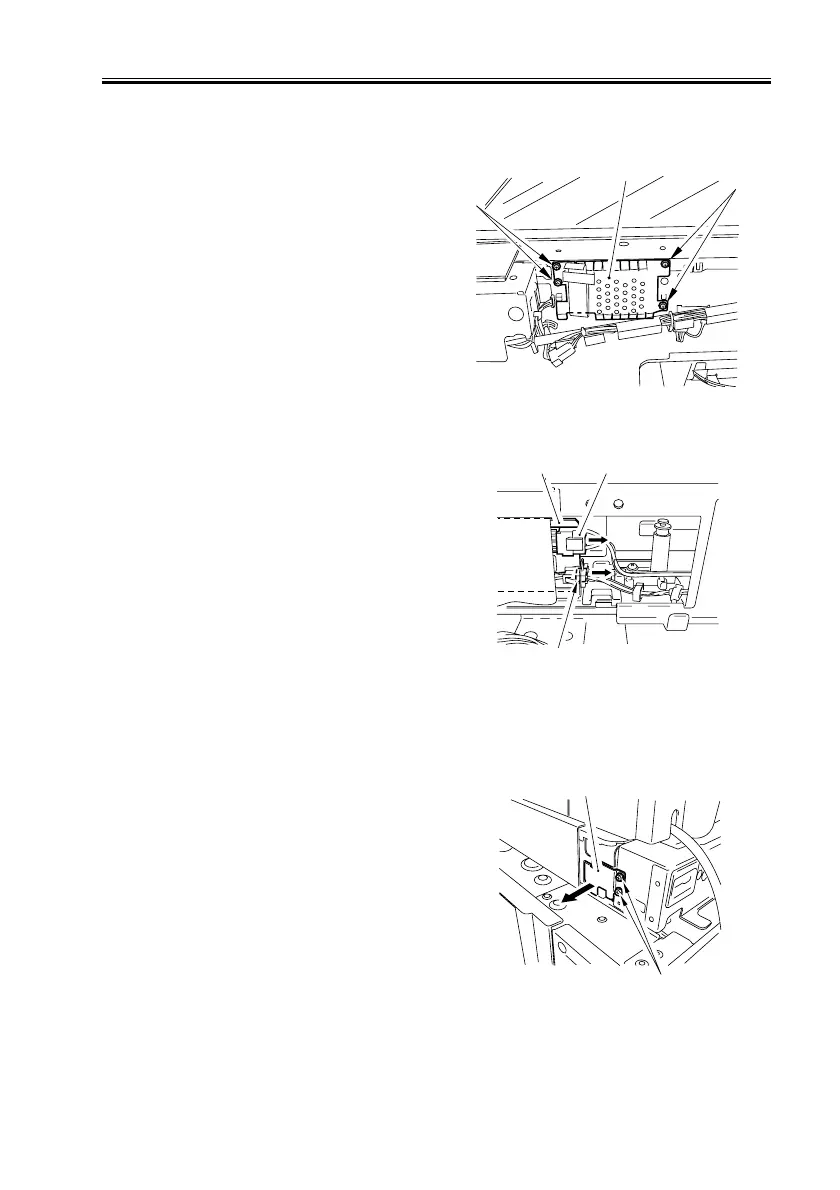
3.9.14 Removing the Inverter PCB
1) Remove the reader controller PCB (See
5.4.2.a.).
2) Remove the three screws [1], and detach
the blanking plate [2].
F02-309-27
3) Disconnect the two connectors[2] from
the inverter PCB [1].
F02-309-28
4) Remove the two screws [1], and pull out
the inverter unit [2].
F02-309-29
[1]
[2]
[1]


 To Next Page
 Loading...










