CHAPTER 2 NEW FUNCTIONS
2-128
COPYRIGHT
©
2001 CANON INC. 2000 2000 2000 2000 CANON iR8500/7200 REV.1 AUG. 2001
7.9.3 Area Around the Process Unit
a. Removing the Pre-Transfer Exposure LED
1) Slide out the pre-transfer charging as-
sembly (See 7.9.1.a.).
When placing the removed pre-
transfer charging assembly, be
sure to take care not to subject
the LED to impact.
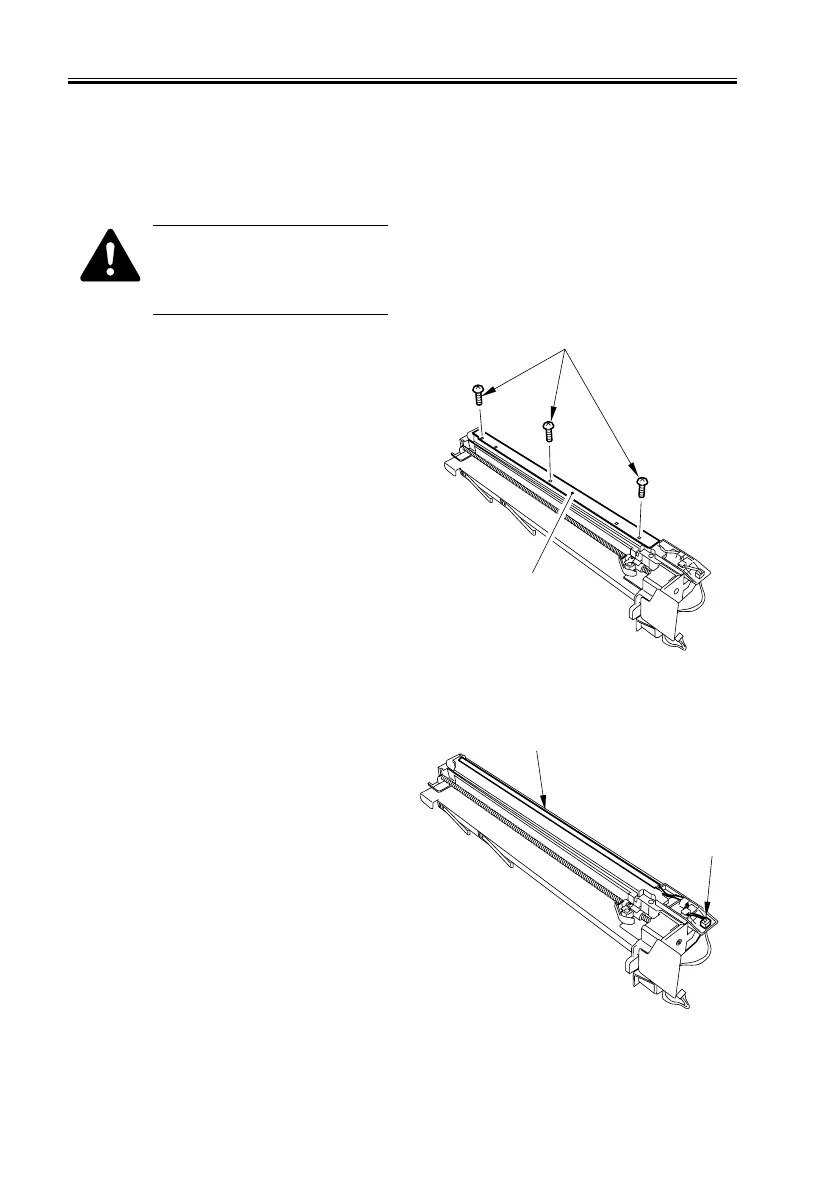
2) Turn over the pre-transfer charging as-
sembly, and remove the 3 screws [1]
found on the bottom; then, detach the
LED cover [2].
F02-709-20
3) Disconnect the connector [1], and re-
move the pre-transfer exposure LED
[2].
F02-709-21
[1]
[2]
[1]
[2]


 To Next Page
 Loading...










