COPYRIGHT
©
2001CANON INC. 2000 2000 2000 2000 CANON iR8500/7200 REV.1 AUG. 2001
CHAPTER 6 TROUBLESHOOTING
6-223
8.2.5 Managing Backup Data
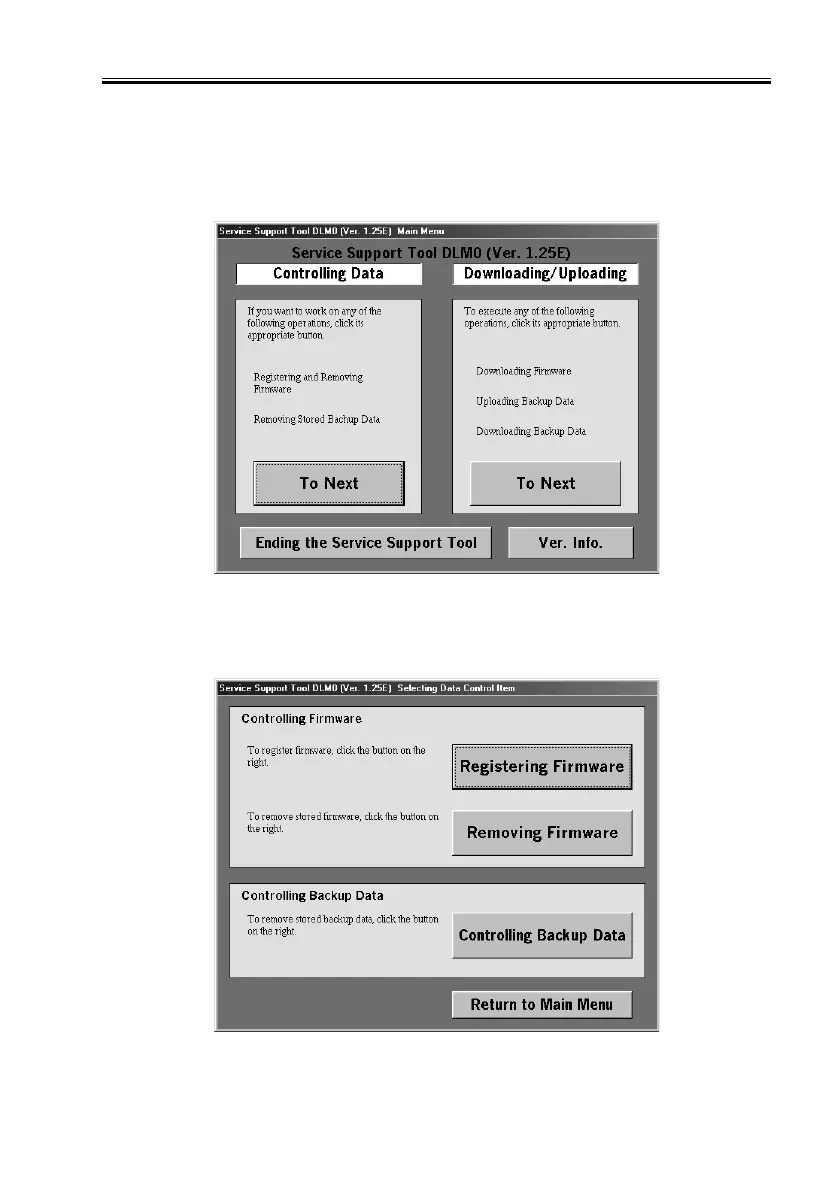
You can delete backup data that has become obsolete as follows:
You need not connect a PC to the machine to do so.
1) Under ‘Controlling Data’, select ‘To Next’.
F06-802-18
2) Select ‘Controlling Backup Data’.
F06-802-19


 To Next Page
 Loading...










