CHAPTER 4 INSTALLATION
4-69
COPYRIGHT
©
2001 CANON INC. 2000 2000 2000 2000 CANON iR8500/7200 REV.1 AUG. 2001
7
Installing the Network LIPS Printer Kit -B1
7.1 Installing the Network LIPS Printer Kit-B1
To use this Kit, the version of the host’s system software must be 2.20 or
later. Start service mode, and make the following selections to check its ver-
sion: COPIER>DISPLAY>VERSION>MN-CONT. If the indication is not
2.20 or later, be sure to download an appropriate version.
No. Work Checks/remarks
1 Turn off the copier’s power switch, and
disconnect the power plug.
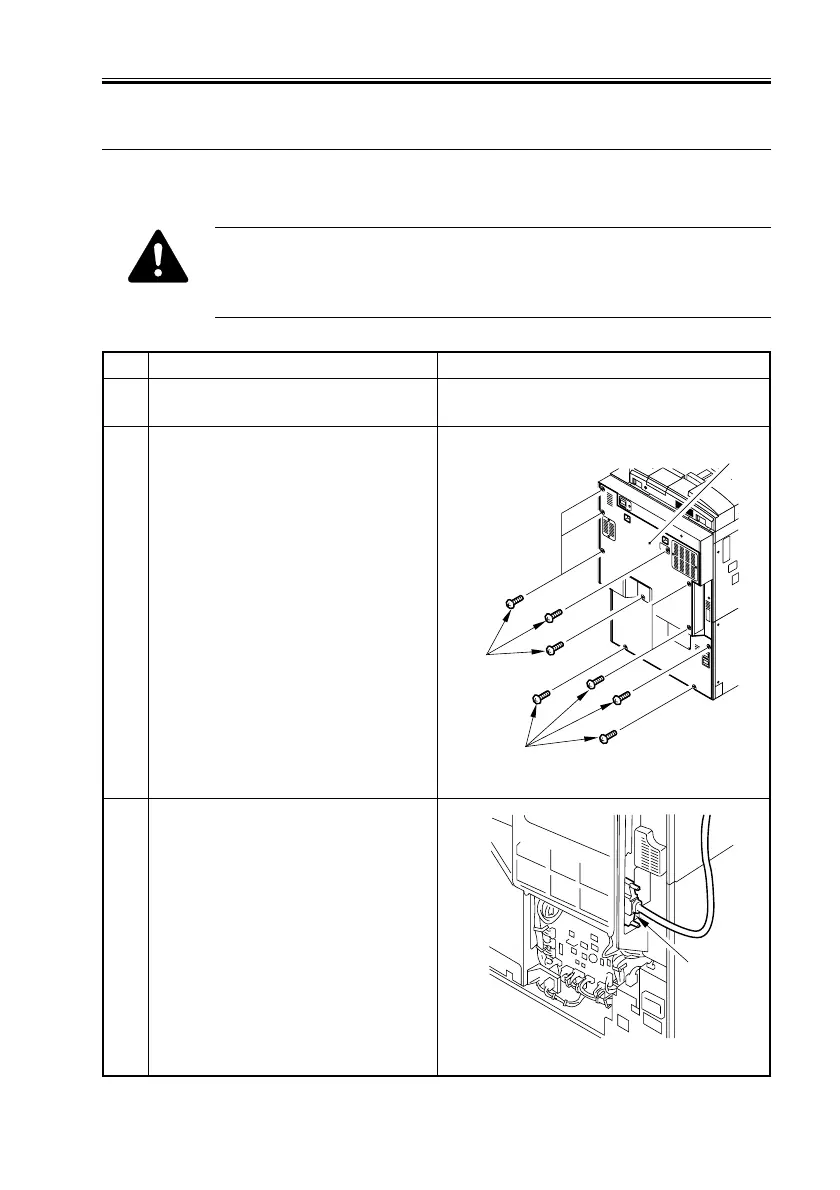
2 Remove the 10 screws [1], and detach the
rear cover [2].
F04-701-01
3 Remove the interface cable [1].
F04-701-02
[1]
[1]
[2]
[1]



 To Next Page
 Loading...









